Step-by-step post scheduling: Save time and grow faster
Master step by step post scheduling to save time and boost your SMB's growth. Turn chaos into consistent results with our proven guide!

Managing social media for a small or medium-sized business can feel like juggling flaming torches while riding a unicycle. You’re creating content for five platforms, trying to post at the right times, tracking what works, and still handling everything else on your plate. Most SMB teams burn hours every week on scattered, reactive posting with little to show for it in terms of measurable growth. This guide walks you through a proven, step-by-step scheduling workflow that reduces the chaos, protects your team’s time, and turns inconsistent posting into a repeatable engine for real results.
Table of Contents
- What you need to get started with post scheduling
- Step-by-step process to schedule posts across platforms
- Platform-specific best practices and content adaptation
- Verification, monitoring, and sustaining a scalable workflow
- Why traditional scheduling misses the mark for SMBs
- Ready to streamline your scheduling process?
- Frequently asked questions
Key Takeaways
| Point | Details |
|---|---|
| Preparation is crucial | Gather analytics and define content pillars before scheduling to maximize post impact. |
| Follow a step process | Audit, plan, create, adapt, and schedule content efficiently across multiple platforms. |
| Adapt for each platform | Tailor content and posting frequency to the unique audience and best practices for each platform. |
| Monitor and optimize | Regularly review metrics and workflow for sustained engagement and to prevent burnout. |
| Embrace automation | Using automation can save up to 72% scheduling time and dramatically boost engagement. |
What you need to get started with post scheduling
Before you schedule a single post, you need the right foundation. Jumping into a scheduling tool without first clarifying your content strategy is like packing a suitcase without knowing where you’re going. You’ll bring the wrong things and still feel unprepared.
Here’s what you need to have in place:
Core tools to gather:
- A scheduling platform (either a native tool built into a social network, or a third-party SaaS option from the top social media tools available for SMBs)
- A content calendar (a simple spreadsheet works, but purpose-built tools are faster)
- Access to your analytics for at least the past 90 days
- A defined set of content pillars (the 3 to 5 core topics your brand consistently covers)
- Historical posting data so you know your current baseline
Required data before you start:
- Your brand’s content pillars and messaging guidelines
- Past engagement rates by platform and content type
- Peak posting windows based on your audience activity
- A backlog or queue of existing content ready to schedule
One of the most important decisions you’ll make early is choosing between native tools and third-party platforms. Understanding the platform types for SMBs helps you make that call with confidence. As research shows, native tools are free, while third-party tools add bulk scheduling and multi-platform power for SMBs.
| Feature | Native tools | Third-party SaaS |
|---|---|---|
| Cost | Free | Paid (varies) |
| Platforms supported | Single platform | Multi-platform |
| Bulk scheduling | No | Yes |
| Analytics depth | Basic | Advanced |
| Automation options | Limited | Extensive |
| Team collaboration | Minimal | Built-in |
Analytics matter more than most teams realize at this stage. Before you decide how often to post or which formats to prioritize, you need to know what has actually worked. Batching content (creating multiple posts in one focused session) and automation (auto-publishing at optimal times) are the two most powerful forces for reclaiming your week.
Step-by-step process to schedule posts across platforms
Once you’ve set up your toolkit, it’s time to walk through the scheduling process step by step. This sequence is built for SMB teams that don’t have a dedicated six-person social department but still need consistent, quality output across multiple channels.

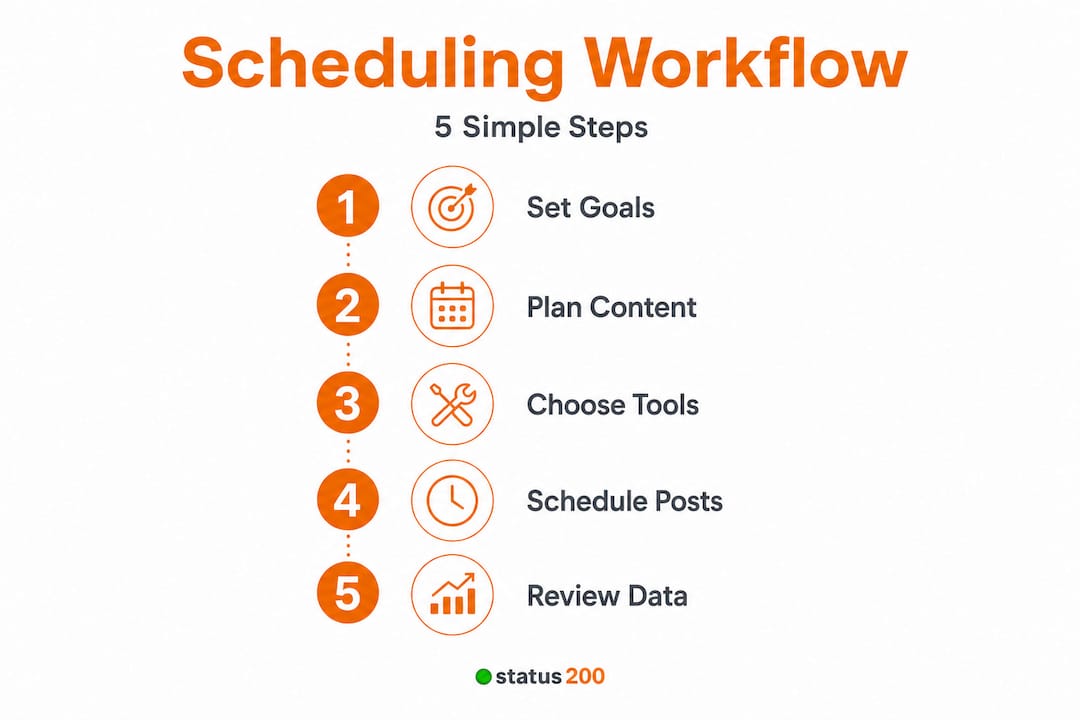
A structured step-by-step process for social media scheduling includes audit, defining pillars, finding optimal times, batching content creation, adapting for each platform, scheduling with review, and monitoring for adjustment.
The proven scheduling sequence:
-
Audit your existing content and accounts. Pull 90 days of data. What posts drove clicks, saves, or shares? Which formats flopped? This gives you a data-driven baseline before you commit to a new rhythm.
-
Define your content pillars. Limit yourself to 3 to 5 core themes. Every post should map to one pillar. This keeps your content consistent and prevents the “what should I post today?” spiral that burns time and kills momentum.
-
Find optimal posting times per platform. Use your analytics to identify when your specific audience is most active. Broad recommendations are a starting point, but your data tells the real story. Tools that support centralized management often surface this data across all accounts in one view.
-
Batch-create your content. Set aside two to three hours per week to write captions, design graphics, and cut video clips in one focused session. Batching eliminates the cognitive switch cost of jumping in and out of creative work daily.
-
Adapt content for each platform. A LinkedIn post is not a TikTok caption. Resize visuals, rewrite tone, and adjust hashtag strategy for every platform before scheduling. We’ll cover this in more detail in the next section.
-
Schedule and review before publishing. Use your scheduling tool to queue all posts for the week, then do a final visual review. Check links, captions, and media formatting. Catching errors before publish saves you from embarrassing corrections later.
-
Monitor results and adjust weekly. After posts go live, track engagement within 24 to 48 hours. If something outperforms expectations, note what worked and replicate it. If engagement drops, revisit your timing or format.
| Step | Native tool capability | Third-party SaaS capability |
|---|---|---|
| Audit | Manual, per platform | Aggregated cross-platform |
| Pillar tracking | None | Tag and category systems |
| Optimal timing | Limited suggestions | AI-driven recommendations |
| Batch scheduling | No | Yes, with queue features |
| Platform adaptation | Manual only | Templated variations |
| Post review | In-app preview | Multi-platform preview |
| Performance monitoring | Basic | Detailed with custom reports |
Posting frequency benchmarks per platform:
- Instagram: 3 to 5 times per week
- LinkedIn: 3 to 4 times per week
- X (Twitter): 5 to 7 times per week
- Facebook: 3 to 5 times per week
- TikTok: 5 to 7 times per week
If you’re evaluating your current tool options, it’s worth exploring social scheduling alternatives and looking at the benefits of connecting all your profiles when you connect multiple accounts in one place.
Pro Tip: Build a content backlog of at least 10 to 15 ready-to-publish posts before you launch your new schedule. This buffer protects you during sick days, heavy workload weeks, or creative dry spells, so your consistency never suffers.
Platform-specific best practices and content adaptation
After learning the step-by-step sequence, let’s explore adapting your strategy for each platform’s strengths. Generic cross-posting, dropping the same caption and image on every channel simultaneously, is one of the fastest ways to tank your engagement. Each platform has a distinct algorithm, audience expectation, and content preference.
According to empirical benchmarks, brands post an average of 5 times per week on Instagram and TikTok. TikTok’s engagement rate sits at 3.70%, Instagram at 0.48%, and Facebook at just 0.15%. Consistent posting yields up to 5x more engagement than sporadic activity.
Platform-specific best practices:
-
Instagram: Prioritize Reels for reach, carousels for saves, and Stories for daily touchpoints. Post during morning and early evening hours. Use 3 to 5 relevant hashtags rather than 30 generic ones. Explore media formats and engagement to find what resonates with your audience.
-
TikTok: Native-feeling videos outperform polished productions. Post during evening hours when your target demographic is scrolling. Hook viewers in the first 2 seconds or you’ve already lost them. For deeper guidance on TikTok scheduling tips, the approach is quite different from other platforms.
-
Facebook: Groups and events drive far more organic reach than standard page posts. Video, particularly live video, continues to outperform static images. Posting in the early afternoon on weekdays tends to perform well for business-oriented content.
-
LinkedIn: Long-form posts and personal stories generate strong comment engagement. Aim for posts that spark conversation, not just likes. Tuesday through Thursday mornings are historically high-performing windows. Avoid hard-sell content; LinkedIn audiences respond to insight and authenticity.
-
X (Twitter/X): Volume matters more here than on any other platform. Short, punchy text posts, threaded content, and timely commentary on trending topics all perform well. Replies and quote posts extend your reach significantly.
The TikTok engagement rate of 3.70% is not a minor statistical footnote. It means TikTok content is roughly 7x more likely to generate a meaningful interaction than the same content on Instagram. That’s a strategic opportunity most SMBs haven’t fully capitalized on yet.
Pro Tip: Schedule posts during each platform’s highest-engagement windows, not just at whatever time is convenient for your team. A post scheduled for 9 AM on LinkedIn versus 7 PM can see a 30% to 50% difference in reach, even with identical content.
Verification, monitoring, and sustaining a scalable workflow
Tailoring content is only effective if you consistently monitor results and keep your workflow healthy. Many SMB teams nail the setup phase but lose momentum within six weeks because the monitoring step never gets formalized.
“Automation saves up to 72% of scheduling time, reducing weekly effort from 8.5 hours to just 2.4 hours for social media teams.”
That’s not a marginal improvement. It’s the difference between social media being a full-time burden and a manageable, strategic part of your week. Automation combined with consistent posting yields 5x engagement compared to irregular, manual posting patterns.
How to monitor your scheduled posts effectively:
- Check performance within 24 to 48 hours of each post going live
- Track engagement rate (likes, comments, shares, saves relative to reach), not just raw follower counts
- Monitor reach and impressions separately to understand organic vs. boosted performance
- Log your posting frequency weekly to ensure you’re hitting your targets
- Keep a running content backlog so you always have at least two weeks of posts ready to go
- Use your scheduling tool’s built-in analytics dashboard to centralize this data rather than platform-hopping
According to small biz frequency benchmarks, small businesses can realistically maintain 2 to 5 posts per week across major platforms without burning out their team or compromising quality.
Avoiding burnout in your scheduling workflow:
- Never schedule more than you can realistically sustain for 90 consecutive days
- Automate repetitive decisions using tools that support queue-based scheduling
- Designate one person as the weekly review owner, not the whole team
- Build a library of evergreen content that can be recycled quarterly
- Reduce posting frequency before reducing quality. One excellent post per week beats five rushed ones every time.
Adjust your frequency based on engagement signals, not just on a whim. If a platform’s engagement rate drops below your benchmark for three consecutive weeks, reduce posting frequency and invest that time in creating higher-quality content instead. Growth is not always about doing more. Sometimes it’s about doing less, better.
Why traditional scheduling misses the mark for SMBs
Moving from process to philosophy, let’s reflect on what most articles and managers overlook when it comes to post scheduling.
The conventional wisdom says: post more, post consistently, post everywhere. And while consistency matters, that advice sets most SMB teams up for a slow-motion burnout. The real problem isn’t volume. It’s that most teams are still scheduling reactively, filling slots with whatever content is available rather than building a strategic content engine.
Here’s the uncomfortable truth: manual, reactive posting is a time trap. You spend hours on tasks that automation handles in minutes, and you make gut-feel decisions that data could answer in seconds. AI scheduling transforms SMB efficiency, outperforming manual approaches by adapting post timing and theme selection based on real-time engagement signals rather than last month’s guesses.
The teams that grow sustainably aren’t the ones posting the most. They’re the ones who built a workflow they can maintain without heroic effort every single week. Sustainable frequency beats volume every time. A centralized management approach, where all accounts, analytics, and scheduling live in one place, is what separates teams that scale from teams that stall.
The smartest use of AI and automation isn’t bulk uploading. It’s adaptive timing, where the system learns when your specific audience engages and adjusts publish times accordingly, and adaptive theme selection, where you rotate content pillars based on what’s currently resonating, not what worked three months ago.
Stop treating your scheduling tool as a simple calendar. Treat it as the command center for your entire content operation.
Ready to streamline your scheduling process?
If you’ve made it through this guide, you already know more about strategic post scheduling than most SMB marketing teams put into practice. The next step is putting that knowledge into a real system.
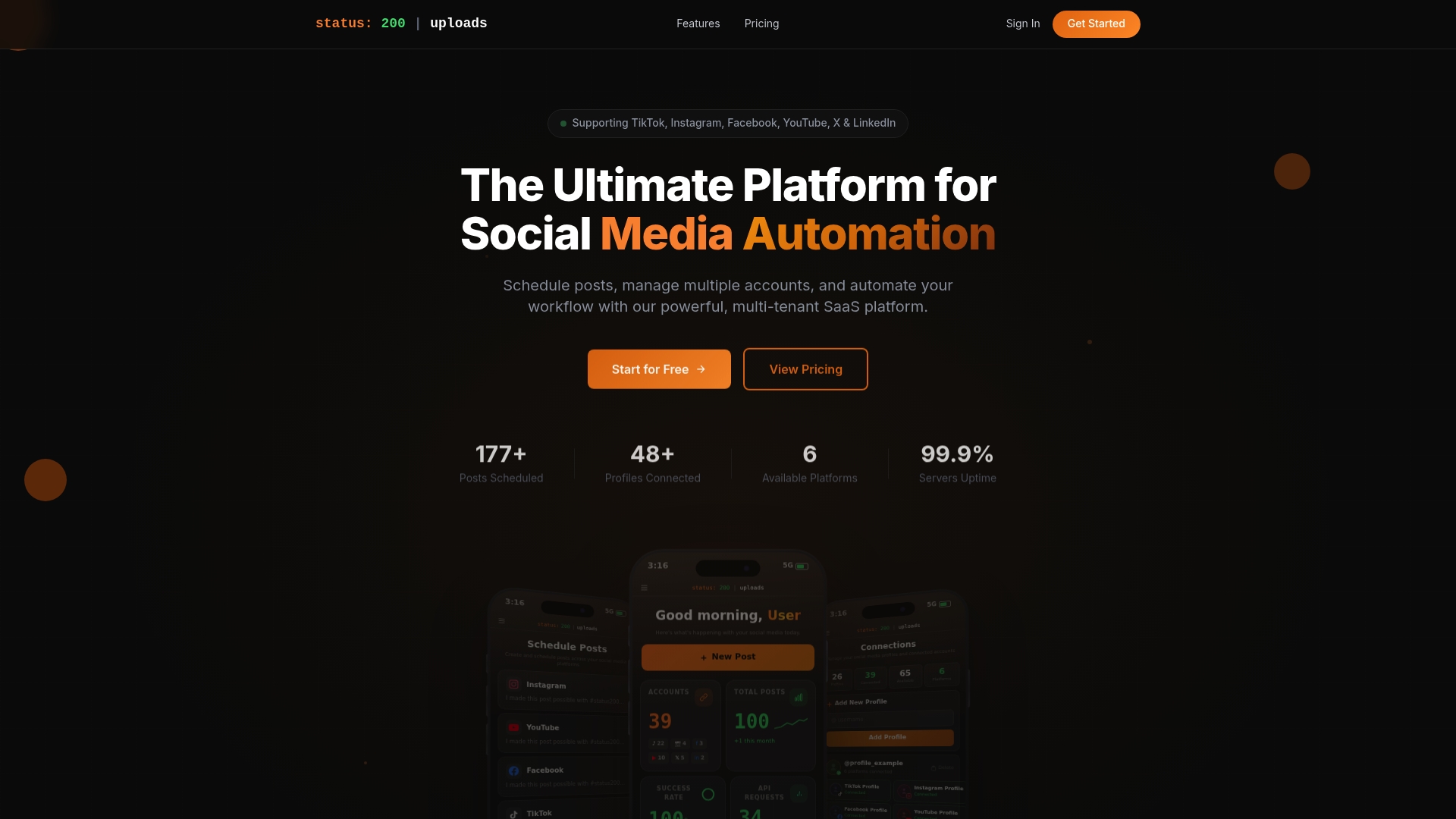
Status 200 Uploads gives you a single dashboard to manage TikTok, Instagram, Facebook, YouTube, X, and LinkedIn simultaneously. You can batch-schedule posts, attach rich media, set platform-specific publish times, and track performance without jumping between apps. If you’re evaluating your options, start by exploring the Status 200 Uploads platform to see how it compares to other tools in the market. For a direct side-by-side look at features and pricing, the Publer comparison breaks it down clearly. Pair the platform with Zapier or Make.com integrations and you’ve got a fully automated publishing workflow that runs even when you’re not at your desk.
Frequently asked questions
How often should small businesses schedule posts?
Small businesses should aim for 2 to 5 posts per week on each major platform to maintain sustainable engagement without overwhelming their team or compromising content quality.
What are the benefits of using automation tools for post scheduling?
Automation reduces scheduling time by up to 72% and supports up to five times greater engagement consistency compared to manual, reactive posting habits.
How do you ensure posts are optimized for each platform?
Adapt content formats, captions, and timing for each network individually. Generic cross-posting risks lower engagement; use platform analytics to guide your format and timing decisions per channel.
What metrics should be tracked when monitoring scheduled posts?
Focus on engagement rate, reach, posting frequency adherence, and content backlog health. These four indicators give you a complete picture of both performance and workflow sustainability.
Is it better to use a native platform or third-party scheduling tool?
Native tools are free but limited to single-platform use without bulk scheduling. Third-party tools add multi-platform management and automation capabilities, making them the stronger choice for growing SMBs with multiple active accounts.