Compare top social media tools: Find the best fit for SMBs
Struggling with a social media platform comparison? Discover the best fit for your SMB with our detailed evaluations and expert recommendations!

Picking the right social media management platform sounds straightforward until you’re staring at a dozen browser tabs, comparing pricing pages, and realizing every tool claims to do everything. For social media managers at small to medium-sized businesses, the real challenge isn’t finding a tool. It’s finding the one that fits your actual workflow, handles your specific platforms, and doesn’t charge enterprise prices for features you’ll never use. This article walks you through a clear evaluation framework, a spotlight on today’s leading platforms, a side-by-side comparison table, and situational recommendations so you can make a confident, informed choice.
Table of Contents
- How to choose the right social media management platform
- Platform spotlight: Agorapulse, Zoho Social, Buffer, Hootsuite, SocialBee, Later, and more
- Comparison table: Features, pricing, and best-fit scenarios
- Situational recommendations: Which platform suits your business?
- Our take: Why platform choice is more than a features checklist
- Boost your cross-platform workflow with Status 200 Uploads
- Frequently asked questions
Key Takeaways
| Point | Details |
|---|---|
| Evaluation criteria matter | Choosing tools based on workflow fit, pricing, and channel support saves time and drives results. |
| Best-value platforms | Buffer and Zoho Social are top choices for cost-conscious SMBs needing reliable scheduling. |
| Edge case awareness | Platform support varies, especially for Bluesky and Threads, requiring creative workarounds. |
| Workflow-first mindset | Ease of use and adaptability often trump raw feature lists for small business managers. |
| Take action | Consider Status 200 Uploads for seamless cross-platform scheduling as your next step. |
How to choose the right social media management platform
Before you sign up for any free trial, you need a checklist of what actually matters for your business. Not every feature is worth paying for, and some platforms bundle impressive-sounding capabilities that most SMB teams never touch.
Start with platform coverage. The tool needs to support every network you post to regularly. Most platforms cover Facebook, Instagram, LinkedIn, and X. But coverage for newer networks like Threads or Bluesky is inconsistent, and YouTube Shorts or TikTok scheduling can vary in quality. Good media management strategies always start with matching your network mix to your tool’s actual capabilities, not its marketing page.
Evaluate scheduling models carefully. Some platforms use a simple queue system. Others offer calendar views, visual grids, or “best time” auto-scheduling powered by AI. If you’re managing multiple brands or dozens of accounts, the scheduling interface will either save or cost you hours every week. Pair this with the right approach to scheduling for maximum reach and you can significantly boost your content’s performance without extra effort.
Here’s what to look for when evaluating any platform:
- Post limits vs. unlimited posts: Some plans cap how many posts you can schedule per month. Unlimited is always better for growing teams.
- Per-user vs. per-profile pricing: Per-channel vs per-user pricing is a critical distinction for SMBs. Per-profile pricing can get expensive fast if you manage many accounts.
- AI features: Caption generation and best-time scheduling powered by AI are now common across most tools. However, autonomous engagement features from platforms like Hootsuite or Sprout Social are overkill for teams focused primarily on scheduling.
- Unified inbox: If you handle comments and DMs at scale, a unified inbox saves significant time.
- Team collaboration: Approval workflows, role permissions, and content assignment matter if more than one person touches your posts.
- CRM integrations: Some tools connect to your CRM for richer audience data and reporting.
Pro Tip: Before committing to a paid plan, map out your weekly workflow on paper. Count the number of accounts, posts per week, team members involved, and platforms you publish to. That map will tell you exactly which features are essential and which are noise.
Platform spotlight: Agorapulse, Zoho Social, Buffer, Hootsuite, SocialBee, Later, and more
Equipped with your evaluation criteria, let’s examine today’s leading platforms. Each one has a distinct design philosophy, pricing structure, and ideal user type.
Agorapulse is built around team collaboration and a powerful social inbox. It’s highly rated on G2 specifically for SMBs, with plans starting at $79 per month for up to 10 profiles. The inbox consolidation is genuinely strong, pulling comments, mentions, and messages across platforms into one stream. For teams managing client accounts, the labeling and assignment features are a real time-saver. The main drawback is price. At that starting point, solo managers or micro-teams may find better value elsewhere.
Zoho Social earns its place as a budget-friendly powerhouse. With a free plan available and paid tiers starting around $10 per month, it’s an excellent entry point for small teams. Its native CRM integration with Zoho CRM is a genuine differentiator. If your business already runs on the Zoho ecosystem, this tool fits naturally. Scheduling is straightforward, reporting is adequate for most SMBs, and the learning curve is gentle.
Buffer is the go-to for simplicity. The interface is clean, the queue-based scheduling is intuitive, and the pricing is transparent. It’s consistently one of the most accessible tools for solo managers or small teams just getting started with multi-platform scheduling. Buffer has also been ahead of competitors in supporting newer platforms like Bluesky and Threads, which matters if your audience lives on emerging networks.

Hootsuite is the established giant. It covers a wide range of platforms, offers deep analytics, and provides autonomous engagement features. However, G2 data shows that while 59.8% of Hootsuite reviewers come from small businesses, its ease-of-use score lags behind newer alternatives like SocialPilot, which scores 9.1 versus Hootsuite’s 8.5. For teams that need enterprise-grade reporting, Hootsuite delivers. For teams that just want to schedule posts efficiently, it can feel heavy and overpriced.
SocialBee has become a favorite among content-heavy SMBs. Its category-based scheduling system lets you build evergreen content libraries and rotate posts automatically, which is a standout feature. It also has a remarkably loyal user base. SocialBee earns a 95.6% small-business reviewer share on G2, which signals strong SMB fit. It’s particularly good for businesses with a mix of evergreen and time-sensitive content.
Later focuses on visual content and is especially strong for Instagram and TikTok workflows. Its visual grid planner makes it easy to see how your feed will look before you publish. Later also offers video clipping features designed specifically for Reels and TikTok, which aligns well with current video content trends shaping social strategy in 2026. If visual aesthetics drive your brand, Later’s interface will feel intuitive.
Understanding the difference between manual vs. automated posting helps you pick the tool that matches your team’s rhythm. And if your goal is streamlining multi-platform posting, the choice of tool becomes even more strategic.
Pro Tip: Don’t just test the scheduling feature during your trial. Test the actual publishing experience for the platforms you care about most. Some tools schedule perfectly but deliver inconsistently to certain networks.
Comparison table: Features, pricing, and best-fit scenarios
Now, compare these contenders side-by-side to clarify which fits your needs.
Empirical benchmarks consistently show that Buffer and Zoho Social deliver the best value at under $10 per profile, while Hootsuite sits around $9.90 per profile and Sprout Social climbs to $74 or more per profile for team plans. The scheduling mechanics differ significantly too: Buffer uses a queue system, Hootsuite and Agorapulse use a stream and inbox model, and Later uses a visual grid. Match the mechanic to your workflow, not just the price.
You can also pair any of these tools with strong platform-specific posting strategies to get even better results. And as video advertising trends accelerate in 2026, tools with native video support become increasingly important.
| Platform | Starting price | Scheduling model | Platform coverage | AI features | Best fit |
|---|---|---|---|---|---|
| Buffer | ~$6/month | Queue-based | Facebook, Instagram, X, LinkedIn, TikTok, Bluesky, Threads | Caption suggestions, best time | Solo managers, budget teams |
| Zoho Social | $10/month | Calendar + queue | Facebook, Instagram, X, LinkedIn, YouTube | Basic suggestions | Small teams with Zoho CRM |
| Agorapulse | $79/month | Inbox + calendar | Facebook, Instagram, X, LinkedIn, YouTube, TikTok | Caption AI, analytics | Client-serving agencies |
| Hootsuite | ~$99/month | Stream + calendar | Wide coverage, 35+ platforms | Advanced AI, autonomous engagement | Mid-to-large teams |
| SocialBee | $29/month | Category-based queue | Facebook, Instagram, X, LinkedIn, Pinterest, TikTok | Caption generation | Content-heavy SMBs |
| Later | $25/month | Visual grid + calendar | Instagram, TikTok, Facebook, LinkedIn, Pinterest | Best time suggestions | Visual and video-first brands |
Situational recommendations: Which platform suits your business?
After seeing the raw comparisons, let’s get tactical with tailored recommendations.
The right platform isn’t always the one with the most features. It’s the one that removes friction from your specific workflow. Here are the most common SMB scenarios and the tools that fit them best.
-
Solo social media manager on a tight budget. Start with Buffer or Zoho Social. Both are under $10 per profile, simple to learn, and reliable for the major platforms. Buffer wins if you’re posting to Bluesky or Threads. Zoho Social wins if you want CRM data attached to your audience insights.
-
Small team with an approval workflow. Agorapulse is worth the higher price here. Its team assignment and approval features reduce back-and-forth significantly. Client-facing agencies especially benefit from the labeling system that keeps accounts organized across multiple brands.
-
Content-heavy brand with evergreen and promotional content. SocialBee’s category-based scheduling is purpose-built for this. You build content libraries by type (educational, promotional, testimonial) and let the platform rotate them automatically. This is ideal for businesses that want consistent publishing without rebuilding their queue every week.
-
Visual or video-first brand on Instagram and TikTok. Later is the clearest fit. The visual grid planner removes guesswork from feed aesthetics, and the native video clipping tools make Reels and TikTok creation more efficient. Pair this with strong automating posting times practices to keep your content appearing when your audience is most active.
-
Multi-channel business publishing across six or more platforms. Hootsuite or Agorapulse handles breadth better than most. If maximizing engagement across a wide network is your priority, both platforms offer the monitoring and inbox tools to manage that scale.
“The best scheduling tool is the one your team actually uses consistently. A platform with a slightly shorter feature list that your team adopts fully will always outperform the ‘best’ platform that collects dust because the interface frustrates everyone.”
One edge case worth noting: Bluesky and Threads scheduling support varies significantly across platforms. Buffer currently leads in native support, while most other tools require third-party workarounds. If either network is part of your current strategy, verify support before committing to a paid plan. For video-heavy workflows, look at how tools handle platform-specific formats. Later’s video clipping for Reels and TikTok stands out here. Thinking through production scheduling as part of your content calendar will also help you align video output with your publishing cadence.
Our take: Why platform choice is more than a features checklist
Here’s an opinion that most comparison articles won’t say out loud: the feature list is the least important factor in your platform decision.
We’ve worked with dozens of SMB teams that chose the “objectively best” platform based on a features spreadsheet and switched tools within six months. Why? Because features don’t account for the daily friction of using a tool. A clunky interface that slows down your publishing adds up to hours of lost productivity every month. A reporting dashboard that doesn’t answer your actual questions forces you to build workarounds. A tool your team finds frustrating will be used inconsistently, which undermines everything.
The real question isn’t “which tool has the most features?” It’s “which tool will my team actually use well, consistently, under deadline pressure?”
We’ve also seen a pattern we call platform hopping. A business switches from Hootsuite to Buffer because it’s cheaper, then to Agorapulse because a competitor uses it, then to SocialBee because an influencer recommended it. Each switch costs time: reconnecting accounts, rebuilding content queues, retraining team members, and rediscovering what the previous tool was doing right. Strong engagement strategies require consistency. Constant tool switching erodes that consistency.
Our advice is to pick based on your current workflow, not your aspirational one. If you’re a team of two, don’t pick a platform designed for agencies. If you’re growing quickly, pick something that scales without requiring you to jump to a completely new tool. And if you’re serious about optimizing social reach across multiple channels, prioritize tools that handle multi-account publishing reliably rather than ones with impressive-sounding AI features you’ll never configure.
One more honest take: pricing transparency matters more than any specific price point. A platform that’s clear about what you get, when it charges more, and what the upgrade path looks like is worth more than a slightly cheaper platform that hides limits in the fine print.
Boost your cross-platform workflow with Status 200 Uploads
If you’re ready to streamline your cross-platform content management, here’s a solution built for exactly your needs.
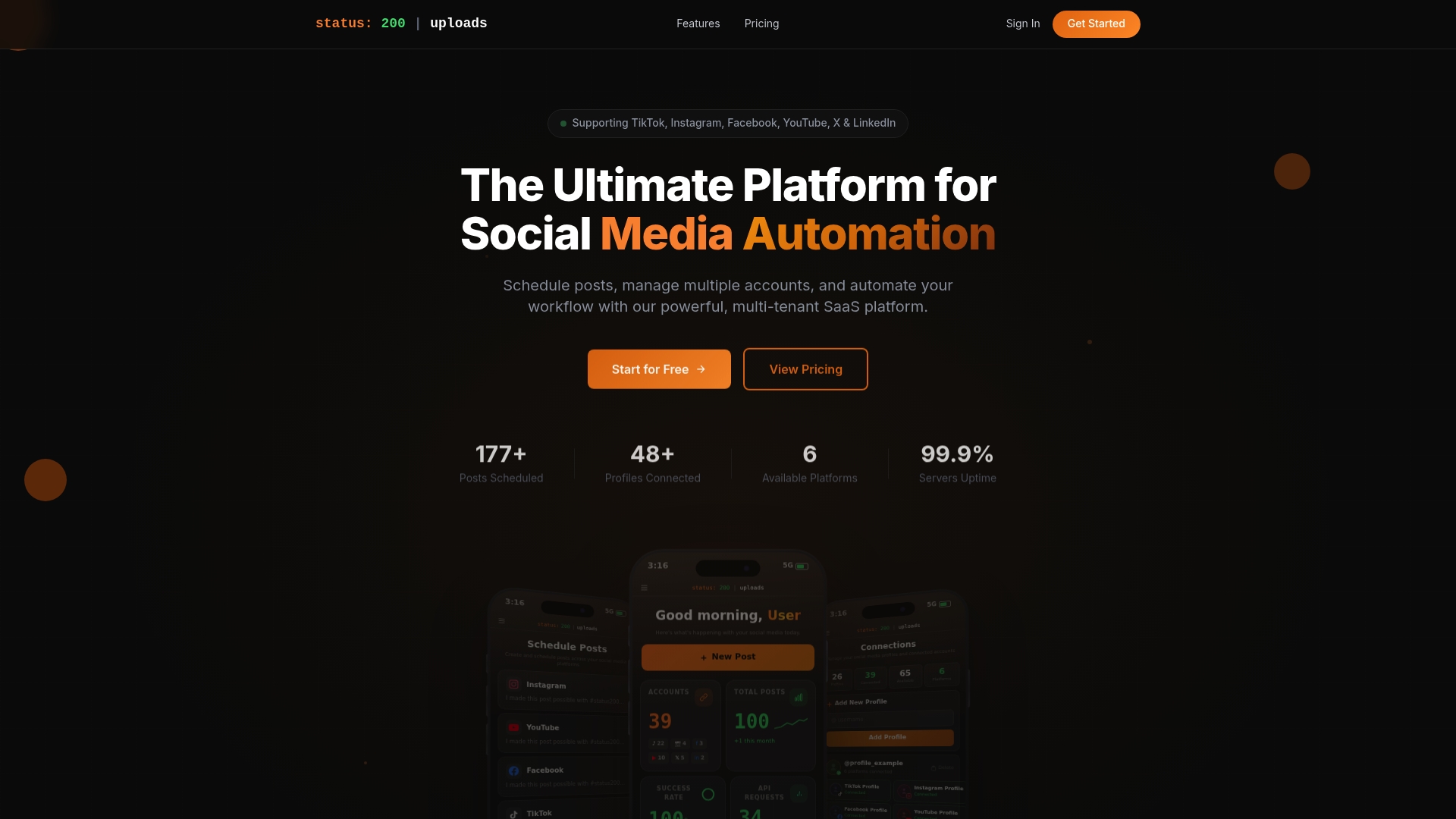
Status 200 Uploads brings your TikTok, Instagram, Facebook, YouTube, X, and LinkedIn publishing into one clean dashboard. You can schedule posts with rich media attachments, publish simultaneously across platforms, and manage multiple accounts without the tab-switching chaos. Built-in workflow automation through Zapier and Make.com integrations means your content pipeline runs efficiently, even on your busiest weeks. If you’re evaluating your options, the Status 200 vs. Publer breakdown gives you a direct look at how the platforms compare for SMB scheduling needs.
Frequently asked questions
What platform offers the best value for small businesses?
Buffer and Zoho Social consistently deliver the best value at under $10 per profile, making them strong first choices for cost-conscious SMBs.
Is Bluesky supported natively by most scheduling tools?
Most scheduling platforms do not yet offer native Bluesky scheduling, and third-party workarounds are still required as of 2026.
Which platforms have AI features for captions or best-time scheduling?
AI-assisted captions and best-time scheduling are now common across most modern tools, but autonomous engagement features from Hootsuite and Sprout Social go further than most SMB teams need.
How do pricing models differ across platforms?
Platforms use either per-profile or per-user pricing, and unlimited post scheduling is strongly preferred to avoid hitting content caps that disrupt your publishing rhythm.
Recommended
- Status 200 Uploads — Schedule Posts to TikTok, Instagram, FB, YouTube, X & LinkedIn
- Status 200 Uploads — Schedule Posts to All Socials
- Status 200 Uploads — Schedule Posts to All Socials
- Status 200 Uploads — Schedule Posts to All Socials
- 10 Best Social Media Management Tools for Small Business - Fylde Digital - Web Design SEO Social Media
- Top 4 Insocial.ca Alternatives 2026