TikTok scheduling explained: Boost workflow & engagement
Discover what is TikTok scheduling and how it can boost your workflow and engagement by timing your posts perfectly for maximum reach.
TikTok scheduling explained: Boost workflow & engagement
You film a great video, spend an hour editing it, and finally hit publish—only to watch it land with barely any traction because your audience was asleep when it went live. That frustration is more common than most creators admit, and it quietly drains both motivation and reach. TikTok scheduling gives you the power to break that cycle by placing your content exactly where it needs to be: in front of the right people at the right moment. This guide covers how scheduling works, where the real limitations are, and the evidence-based strategies that actually move the needle.
Table of Contents
- What is TikTok scheduling?
- Native TikTok scheduling vs third-party tools
- Scheduling strategies for maximum reach and efficiency
- Limitations, edge cases, and algorithm myths
- A smarter path: Our take on TikTok scheduling success
- Level up your TikTok posting with advanced scheduling solutions
- Frequently asked questions
Key Takeaways
| Point | Details |
|---|---|
| Native scheduler basics | TikTok’s built-in scheduling lets you plan posts up to 10 days ahead, but has key limitations. |
| Third-party tool advantages | External schedulers give bulk uploads, cross-platform posting, and longer lead time but respect TikTok posting caps. |
| Best post timing | Global data shows Sunday mornings and weekday evenings work best, but check your analytics for personal best times. |
| Workflow optimization | Batch creating, automating schedules, and staying engaged after post time drive the best results and virality. |
| Algorithm myths debunked | Scheduling doesn’t reduce reach if you engage promptly after going live—real-time interaction matters most. |
What is TikTok scheduling?
TikTok scheduling is the practice of preparing your video content ahead of time and setting a specific future date and time for it to publish automatically. Instead of scrambling to post manually during a busy workday or staying up late to catch a peak window, you queue your content in advance and let the system do the heavy lifting.
TikTok offers a native scheduling feature inside TikTok Studio and the Video Scheduler, available to Creator and Business accounts. It lets you plan video posts up to 10 days in advance via the desktop web interface. The steps are straightforward: upload your video, add captions and hashtags, toggle the schedule option, pick your date and time, and confirm. That’s it. No complex setup required.
Here’s why that matters for your workflow:
- Consistent posting becomes far easier when you’re not improvising every upload
- Peak time alignment means your audience sees content when they’re actually online
- Reduced stress from batching content creation into focused sessions
- Better quality control since you’re not rushing at the last minute
That said, native TikTok scheduling has boundaries. For teams managing multiple accounts or creators posting across several platforms, third-party tools extend what’s possible well beyond TikTok Studio’s built-in limits. Pairing strong media management strategies with a scheduling system is what separates consistent growth from sporadic posting.
“Scheduling isn’t just about convenience—it’s about treating your content calendar as a strategic asset rather than an afterthought.”
Pro Tip: Even if you’re just starting out, switch to a Creator or Business account immediately. Personal accounts don’t get access to the native scheduler, and that single change unlocks a meaningful productivity boost right away.
Native TikTok scheduling vs third-party tools
Once you understand what scheduling is, the next question is which tool to use. TikTok’s built-in option and third-party schedulers both have their place, but they serve very different needs.
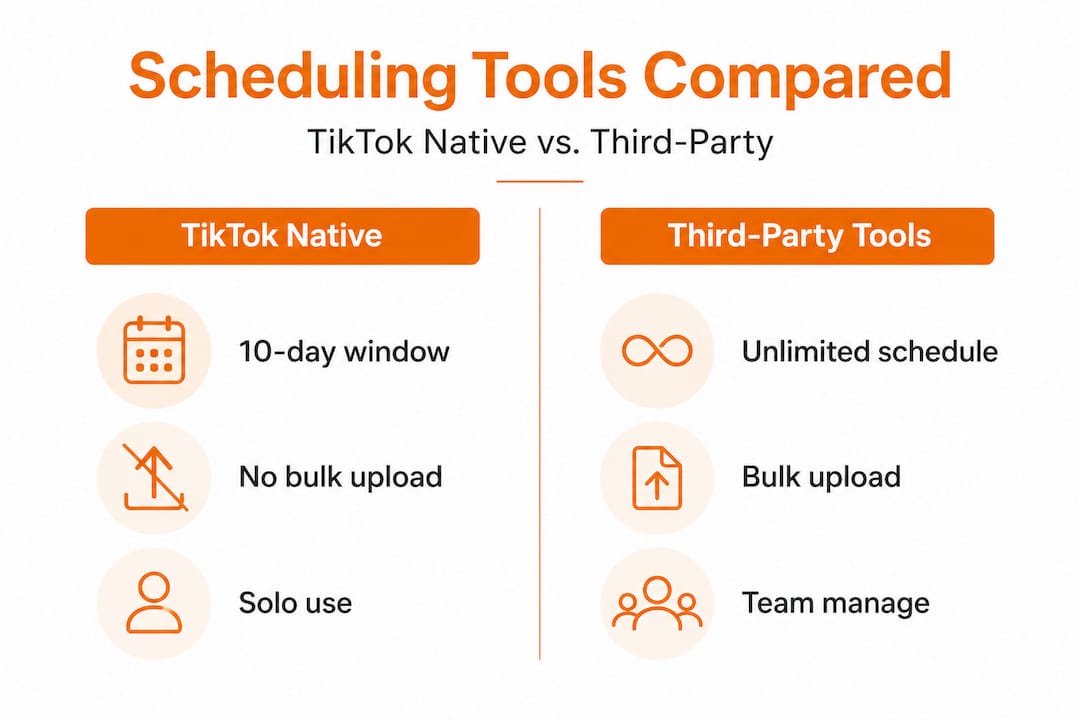
The native scheduler works well for creators who post on TikTok exclusively and don’t need to manage bulk uploads or team access. But its limitations are significant: it’s primarily desktop-only, capped at a 10-day scheduling window, unable to handle bulk scheduling, restricted to a single platform, and it doesn’t allow you to edit a post once it’s scheduled. If you need to make a change, you have to delete the post entirely and start over.
Third-party tools solve most of those problems. Platforms like Buffer, Hootsuite, and others support bulk uploads, multi-account management, team collaboration, cross-platform posting, and scheduling far beyond 10 days into the future. They also layer in analytics so you can track performance without bouncing between dashboards. One important constraint to keep in mind: the TikTok API limits third-party tools to 15 posts per 24-hour period across connected tools, so bulk publishing at scale still has a ceiling.
| Feature | Native TikTok scheduler | Third-party tools |
|---|---|---|
| Max scheduling window | 10 days | Unlimited (API queues) |
| Desktop required | Yes | No (most are web/mobile) |
| Bulk scheduling | No | Yes |
| Cross-platform posting | No | Yes |
| Edit after scheduling | No (delete and re-upload) | Varies by tool |
| Team collaboration | No | Yes |
| Analytics integration | Limited | Yes |
| API posting limit | N/A | 15 posts per 24h |
The right choice depends on your scale. If you’re a solo creator posting three or four times a week on TikTok alone, the native tool is perfectly sufficient. If you’re managing multiple brand accounts, running a content agency, or need to schedule social media posts across TikTok, Instagram, and beyond simultaneously, a dedicated third-party platform is non-negotiable.
A few factors to weigh when choosing:
- Team size: Solo creators can use native; teams need collaboration features
- Number of platforms: Cross-platform needs demand a third-party tool
- Post volume: Heavy posting schedules push past the native 10-day cap fast
- Budget: Native is free; third-party tools range from freemium to premium tiers
Understanding the difference between manual vs automated workflows is also essential before committing to any tool, because automation without a smart process behind it rarely produces better results on its own.
Pro Tip: If you’re testing a third-party tool, start by connecting one account and scheduling one week of content before committing fully. This reveals integration gaps before they cost you engagement.
Scheduling strategies for maximum reach and efficiency
Having the right tool is only half the equation. How you use it determines whether your TikTok account stagnates or grows. Evidence-backed strategies make a measurable difference here.
Frequency is more important than most creators realize. Data from over 11 million TikTok posts shows that posting 2 to 5 times per week yields 17% more views per post compared to just once a week. Creators who post 11 or more times per week see 34% more views and a viral potential ratio that jumps to 31.4x compared to lower-frequency accounts. More posts means more chances for the algorithm to pick up your content and push it to new audiences.
Timing is the other major lever. According to an analysis of 7 million posts, Sunday at 9am ranks as the single best posting time globally, followed by Saturday at 5pm and Monday at 1pm. Evening windows between 6pm and 11pm also consistently outperform midday slots across most audience demographics. That said, global averages are a starting point, not a guarantee. Your specific audience may behave differently, and TikTok Studio analytics will show you exactly when your followers are most active.
| Day | Top posting time | Why it works |
|---|---|---|
| Sunday | 9am | High weekend browsing before daily activities |
| Saturday | 5pm | Leisure peak after daytime commitments |
| Monday | 1pm | Midday break scrolling to start the week |
| Weekdays | 6pm to 11pm | Post-work relaxation browsing window |
Here’s a practical workflow to optimize posting for engagement without burning yourself out:
- Batch film on a single day. Shoot multiple videos in one session using the same setup, then edit them over the next day or two.
- Build a two-week content bank. Always stay at least 10 to 14 days ahead so you’re never scrambling.
- Schedule evergreen content first. Get your foundational posts queued up, then leave open slots for reactive or trending content.
- Review analytics weekly. Adjust your scheduled times based on what your data shows, not just global averages.
- Stay active after publishing. Respond to comments, engage with similar creators, and watch your video’s early performance in the first 60 minutes post-publish.
That last point deserves emphasis. Scheduling handles the timing, but the TikTok algorithm responds to real-time engagement signals. Sitting back after a post goes live is one of the most common mistakes managers make.
Pro Tip: Reserve 20 to 30% of your weekly posting slots for trend-driven or reactive content. Scheduling too far in advance for all your posts makes your account feel stiff and disconnected from what’s happening in your niche right now.
Learning content publishing best practices alongside your scheduling workflow will help you avoid over-automating in ways that hurt authenticity.
Limitations, edge cases, and algorithm myths
Even the best scheduling strategy has blind spots. Knowing TikTok’s constraints and clearing up persistent myths will save you time and frustration.
Key limitations to know before you schedule:
- No editing after scheduling. Once a post is queued in TikTok Studio, you can’t adjust captions, hashtags, or the video itself without deleting and re-uploading entirely.
- API-based photo carousels are capped at 12 images per post, even through third-party tools.
- There’s a minimum lead time of 15 to 30 minutes between scheduling and the actual publish time, so you can’t queue something to go live in five minutes.
- Scheduled posts don’t appear in your analytics dashboard until they’re actually published, which can make pre-launch planning harder.
- Shoppable video features have limited visibility when scheduled through some tools, so test this carefully if TikTok Shop integration matters to your strategy.
- Private scheduling is not supported. Scheduled posts must be set to public or restricted audience visibility.
The algorithm myth that won’t die. You’ve probably heard that scheduled posts get fewer views. Some practitioners do report significant view drops of around 60% compared to manually published posts, attributing it to the algorithm deprioritizing API-posted content. But here’s what the data actually shows: no empirical benchmarks confirm that scheduling itself penalizes reach. The most credible explanation for lower performance is a lack of engagement immediately after posting, not the posting method itself.
When creators publish manually, they’re often sitting at their phone ready to respond to comments and watch performance in real time. Scheduled posts go live and the creator walks away. That behavioral difference, not the scheduling tool, is likely what’s dragging numbers down.
This is why automating posting times should always be paired with a plan for manual engagement during that critical first hour. The tech handles the timing; you still need to show up for the conversation.
A smarter path: Our take on TikTok scheduling success
Here’s something most scheduling guides skip over entirely: the goal isn’t to automate your way to virality. Automation is a productivity tool, not a growth strategy on its own.
The creators and managers who see real, sustainable TikTok growth use scheduling as one part of a responsive content system. They batch their evergreen content, queue it up strategically, and then stay engaged when those posts go live. They’re not hoping the algorithm rewards a pre-set post while they sleep. They’re using scheduling to free up time so they can be more present and reactive, not less.
There’s no empirical evidence that scheduling inherently reduces reach. Accounts that underperform after using schedulers almost always share a common trait: the creator disengages from the platform right after the post goes live and checks back hours later. Meanwhile, an account with a live post that’s getting comment replies in the first 10 minutes sends strong engagement signals that push distribution.
The best workflow for most teams is a hybrid: use native scheduling for simple, short-term queues when you’re managing a lean operation. Bring in third-party automation when you’re managing multiple accounts, posting across platforms, or working with a team that needs shared access. In both cases, protect 20 to 30% of your posting slots for trend-driven content that you publish manually.
Chasing algorithm theories burns energy that’s better spent on content quality and community response. The accounts growing consistently aren’t gaming the system. They’re showing up for their audiences with great content and staying engaged when it goes live. Scheduling makes that easier by removing the last-minute chaos. It doesn’t replace the human side of social media.
If you want to streamline multi-platform posting without sacrificing the engagement that actually drives growth, build a system that treats scheduling as the foundation and human interaction as the essential layer on top.
Level up your TikTok posting with advanced scheduling solutions
Managing a consistent TikTok presence is already a full-time effort. Adding Instagram, Facebook, LinkedIn, YouTube, and X to the mix without a centralized system turns content management into chaos. The smarter approach is a platform built to handle all of it in one place.
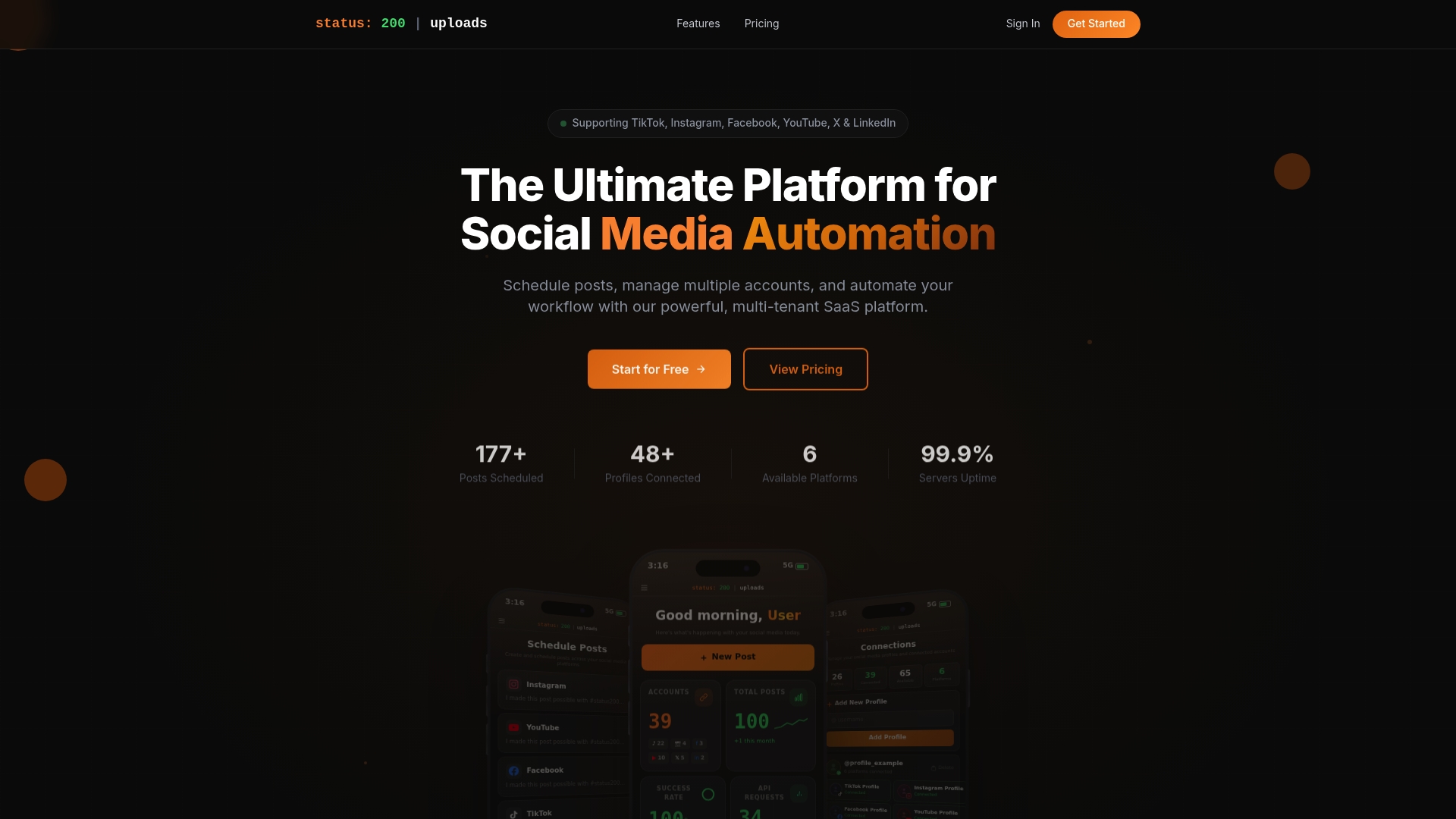
Status 200 Uploads lets you schedule TikTok and social posts across every major platform from a single dashboard, with multi-account support, media organization, and API integrations with Zapier and Make.com for full workflow automation. Whether you’re a solo creator scaling up or an agency managing a dozen client accounts, Status 200 Uploads gives you the infrastructure to post consistently, track performance, and reclaim hours every week. You can also explore how to maximize multi-platform engagement with a scheduling-first strategy that keeps every channel active without doubling your workload.
Frequently asked questions
Can I schedule TikToks on the mobile app?
The mobile app supports limited scheduling options, but most features including bulk uploads require the desktop web scheduler or a third-party tool for full functionality.
Is there a limit to how many TikToks I can schedule in advance?
The native scheduler caps you at 10 days ahead, while third-party tools allow longer horizons but are bound by the TikTok API limit of 15 posts per 24-hour period across connected tools.
Does scheduling TikToks reduce my views or reach?
No reliable data confirms that scheduling hurts reach. The view differences often seen come from reduced engagement after posting, not from the scheduling method itself.
What if I need to edit a scheduled TikTok?
You cannot edit a post once it’s scheduled through the native tool. Your only option is to delete it and re-upload with the corrections made.
How do I pick the best time to schedule my TikToks?
Global data from over 7 million posts points to Sunday 9am as the top slot, followed by Saturday 5pm and Monday 1pm, but your TikTok Studio analytics will show the specific peak times for your own audience.