Streamline multi-platform posting: save time and boost results
Learn how to streamline multi-platform posting, save 15-20 hours per week, and boost engagement with a proven workflow built for SMB social media managers.

If you’ve ever spent a Sunday evening copying captions into five different apps, resizing images, and second-guessing which hashtags work on LinkedIn versus TikTok, you already know the pain. Manual multi-platform posting eats hours you don’t have. The good news is that saving 15-20 hours per week is genuinely achievable once you replace the copy-paste grind with a structured, tool-assisted workflow. This article walks you through every phase of that process: what it is, which tools help, a step-by-step execution guide, the pitfalls to avoid, and what most guides forget to tell you.
Table of Contents
- What is a multi-platform posting process?
- Essential tools for streamlining multi-platform posting
- Step-by-step guide: The multi-platform posting workflow
- Troubleshooting and common pitfalls in multi-platform posting
- Beyond the basics: What most guides miss about efficient multi-platform posting
- Streamline your multi-platform posting with Status 200 Uploads
- Frequently asked questions
Key Takeaways
| Point | Details |
|---|---|
| One process, many platforms | Creating content once, then adapting it for each platform, streamlines workflow and amplifies reach. |
| Right tools matter | Management tools save hours each week and ensure consistent, optimized scheduling across accounts. |
| Batch and adapt for engagement | Batch-schedule posts and adapt them to each platform to boost engagement and avoid penalties. |
| Prioritize quality | Focused, platform-specific content outperforms high-volume, copy-paste posting every time. |
What is a multi-platform posting process?
A multi-platform posting process is the system you use to distribute content across two or more social channels without recreating everything from scratch each time. At its core, it relies on three concepts you’ll hear repeatedly: pillar content, adaptation, and scheduling.
Pillar content is your original, fully produced asset. Think of a product demo video, a blog recap, or a customer success story. This is the one piece you invest real creative effort into. Adaptation is the work of reshaping that pillar into platform-specific versions. A 60-second TikTok clip becomes a square Instagram Reel, a LinkedIn text post, and a Facebook carousel. Scheduling is the act of lining those versions up in a tool so they publish at the right time without you touching a phone.
The multi-platform posting process involves creating core pillar content once, then adapting it per platform’s format, tone, length, and visuals before scheduling. That single sentence describes why this approach beats native posting every time.
Here’s what you gain by going structured instead of improvised:
- Wider reach without proportionally more work
- Consistent brand voice even when different team members handle different channels
- Better time management because batching 10 posts in one session beats logging in daily
- Reduced error risk since you review everything before it goes live
- Easier repurposing as your content library grows
The difference from manual copy-paste uploads is significant. When you post natively, you’re at the mercy of each app’s interface, you lose version control, and there’s no record of what went out when. A structured process gives you oversight.
“Adaptation is not optional. What performs on TikTok will likely underperform on LinkedIn if you post it word for word. Tone, caption length, and even the call-to-action need to match the platform’s culture.”
For SMBs, this matters because you’re usually working with a lean team. Consistency builds algorithmic favor and audience trust simultaneously. You can explore available scheduler tools to see what fits your team size and budget. For foundational guidance, reviewing cross-posting best practices is a smart starting point before you build your stack.
Essential tools for streamlining multi-platform posting
Theory is useful, but the right tool turns theory into saved hours. The market has several solid options, each with a different price point and feature set. Here’s how the most commonly recommended platforms compare:
| Tool | Starting price | Best for | Standout feature |
|---|---|---|---|
| Buffer | $6/month | Solo creators | Clean scheduling UI |
| Hootsuite | $99/month | Mid-size teams | Deep analytics |
| Sprout Social | $249/month | Agencies | CRM integrations |
| Agorapulse | $79/month | SMB teams | Inbox management |
| Status 200 Uploads | Affordable tiers | SMBs and creators | Unified dashboard + automation |
Top tools for SMBs include Buffer, Hootsuite, Sprout Social, and Agorapulse, each with distinct pricing and feature profiles. The honest answer is that the best tool is the one your team will actually use consistently.
Unified tools cut setup, scheduling, and reporting time because everything lives in one place. You connect your accounts once, build your content queue, and let the platform handle distribution. Compare that to logging into six apps every morning and the productivity math becomes obvious.

On the cost question: a tool at $79 per month sounds like a lot until you calculate what two hours of saved labor per day is worth over a month. For most SMBs, the math strongly favors investing in software. A real-world case study from a law firm using social scheduling shows measurable gains even in industries not traditionally known for content volume.
When evaluating tools, prioritize these capabilities: bulk upload, calendar view, platform-specific field support (like TikTok cover images or LinkedIn article formatting), and API access for automation via Zapier or Make.com.
Pro Tip: Use your tool’s bulk upload feature to schedule an entire week of content in a single 90-minute session. Pair that with an AI writing assistant to draft caption variations faster, and you’ll cut per-post production time dramatically.
Status 200 Uploads offers scheduling features built specifically for teams managing multiple accounts across TikTok, Instagram, Facebook, YouTube, X, and LinkedIn from one dashboard.
Step-by-step guide: The multi-platform posting workflow
With a tool selected, here’s how to execute the process in a repeatable, scalable way.
The five-phase workflow:
- Create pillar content. Produce your core asset at its highest quality. Don’t cut corners here; everything downstream depends on it.
- Select platforms. Choose only the channels where your audience is active. Resist the urge to post everywhere.
- Customize formats and captions. Resize visuals, rewrite captions for platform tone, and swap out hashtags. Instagram favors niche tags; LinkedIn rewards clear professional framing.
- Schedule optimally. Use your tool’s recommended posting windows or check your own analytics for peak engagement times.
- Engage natively. After posts go live, spend 15-20 minutes responding to comments on each platform. Algorithms reward early engagement.
These key workflow steps are the backbone of any efficient multi-platform strategy. Following them consistently is what separates teams that grow from teams that stay stuck.
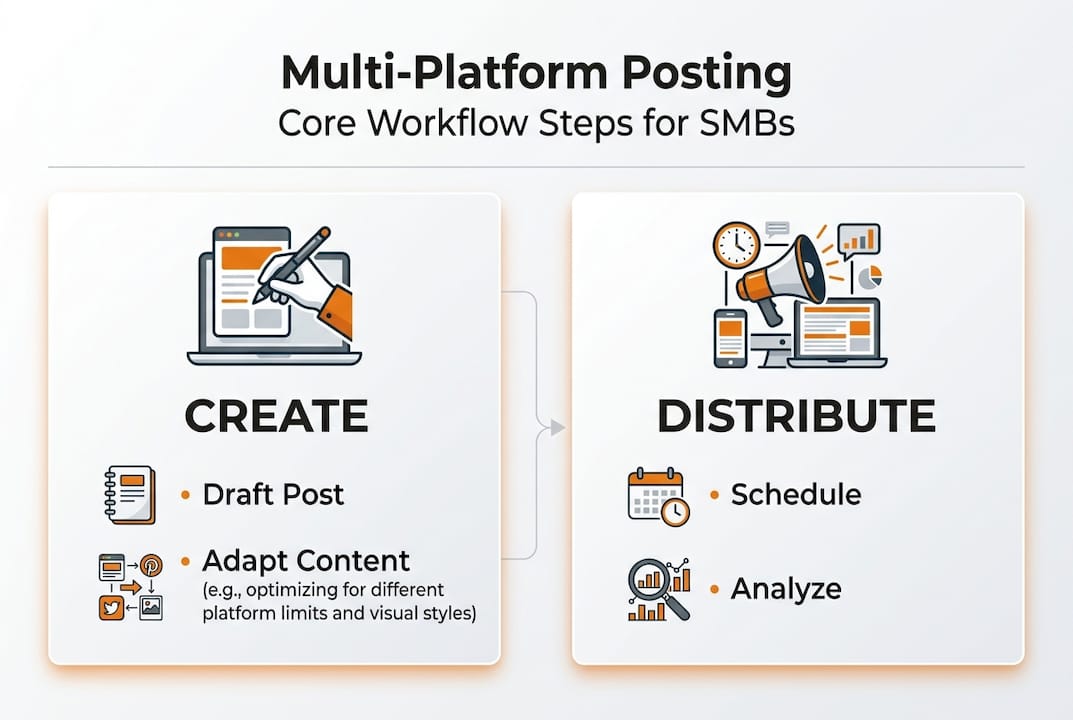
Here’s how the manual and automated approaches compare:
| Factor | Manual workflow | Automated workflow |
|---|---|---|
| Time per post | 20-40 minutes | 3-7 minutes |
| Error risk | High | Low |
| Consistency | Inconsistent | Reliable |
| Scale potential | Limited | High |
| Reporting | Fragmented | Centralized |
For SMBs specifically, the best platform selection tips point toward focusing on three or four core platforms rather than trying to maintain eight. Spreading thin across every channel produces mediocre results everywhere. Pick the channels your buyers actually use and go deep.
Pro Tip: Batch your content creation on one day each week. Use your tool’s API integrations with Zapier or Make.com to trigger scheduling workflows automatically when new content hits your media library. This removes human error from the publish step entirely.
For deeper strategy details on content batching and platform-specific scheduling, the linked guide covers advanced timing frameworks worth bookmarking.
Troubleshooting and common pitfalls in multi-platform posting
Even with a solid workflow, a few recurring mistakes can quietly hurt your reach and engagement. Knowing them in advance puts you ahead of most teams.
The most common pitfalls:
- Copy-pasting content verbatim. Platforms detect near-duplicate content and can suppress it algorithmically. Adapt every post, even slightly.
- Ignoring optimal posting windows. Scheduling at 2 a.m. when your audience is offline wastes your content’s first-hour momentum.
- Using TikTok-watermarked videos on Instagram or Facebook Reels. Both platforms actively suppress watermarked content in their feeds. Always export clean versions.
- Uniform hashtag sets across platforms. Hashtags serve different purposes on Instagram versus LinkedIn. Tailor them every time.
- Spam flags from simultaneous posting. Posting to all platforms at the exact same second can trigger spam detection. Stagger your times by 15-30 minutes.
To avoid algorithm penalties, stagger your posting times, strip watermarks, and adapt CTAs and hashtags per platform. That’s the short version, and it covers most of the risk.
“The biggest mistake teams make is treating multi-platform posting as a copy-paste task. Adaptation is the actual work. The tool just handles delivery.”
For posting frequency recommendations broken down by platform, the data consistently shows that posting quality content three to five times per week outperforms daily posting of recycled material.
When your scheduling tool throws an error, check OAuth connection status first. Expired tokens are the most common culprit for failed posts. Reconnect the account, reschedule the post, and set a calendar reminder to audit connections monthly. Use your platform’s scheduling best practices documentation to stay ahead of API changes that can break integrations.
Beyond the basics: What most guides miss about efficient multi-platform posting
Here’s what most workflow articles won’t tell you: the tool is not the transformation. The mindset shift is.
Most SMB teams adopt a scheduling platform and then use it to post the same low-effort content faster. The reach doesn’t improve. The engagement stays flat. They blame the tool or assume the algorithm punished them for scheduling.
The real issue is that volume without adaptation is just noise. Algorithms in 2026 reward content that earns attention on each specific platform. A post that genuinely fits LinkedIn’s professional culture will always outperform a repurposed Instagram caption dropped in without edits.
Consistent scheduling outperforms sporadic manual posting for most SMBs, despite persistent rumors that tools reduce organic reach. The data doesn’t support that fear. What actually reduces reach is poor adaptation and inconsistent posting patterns.
The real unlock is treating each platform adaptation as a micro-creative decision. Change the CTA. Reframe the hook. Use the format native to that feed. Two or three small changes can produce two to three times the engagement on the same core content. Review the automation pros and cons for your specific use case, then build a process that prioritizes quality adaptation over sheer volume. Sustainable engagement beats a frantic posting sprint every time.
Streamline your multi-platform posting with Status 200 Uploads
If you’re ready to stop losing hours to manual posting and start running a repeatable, scalable workflow, Status 200 Uploads was built for exactly this.
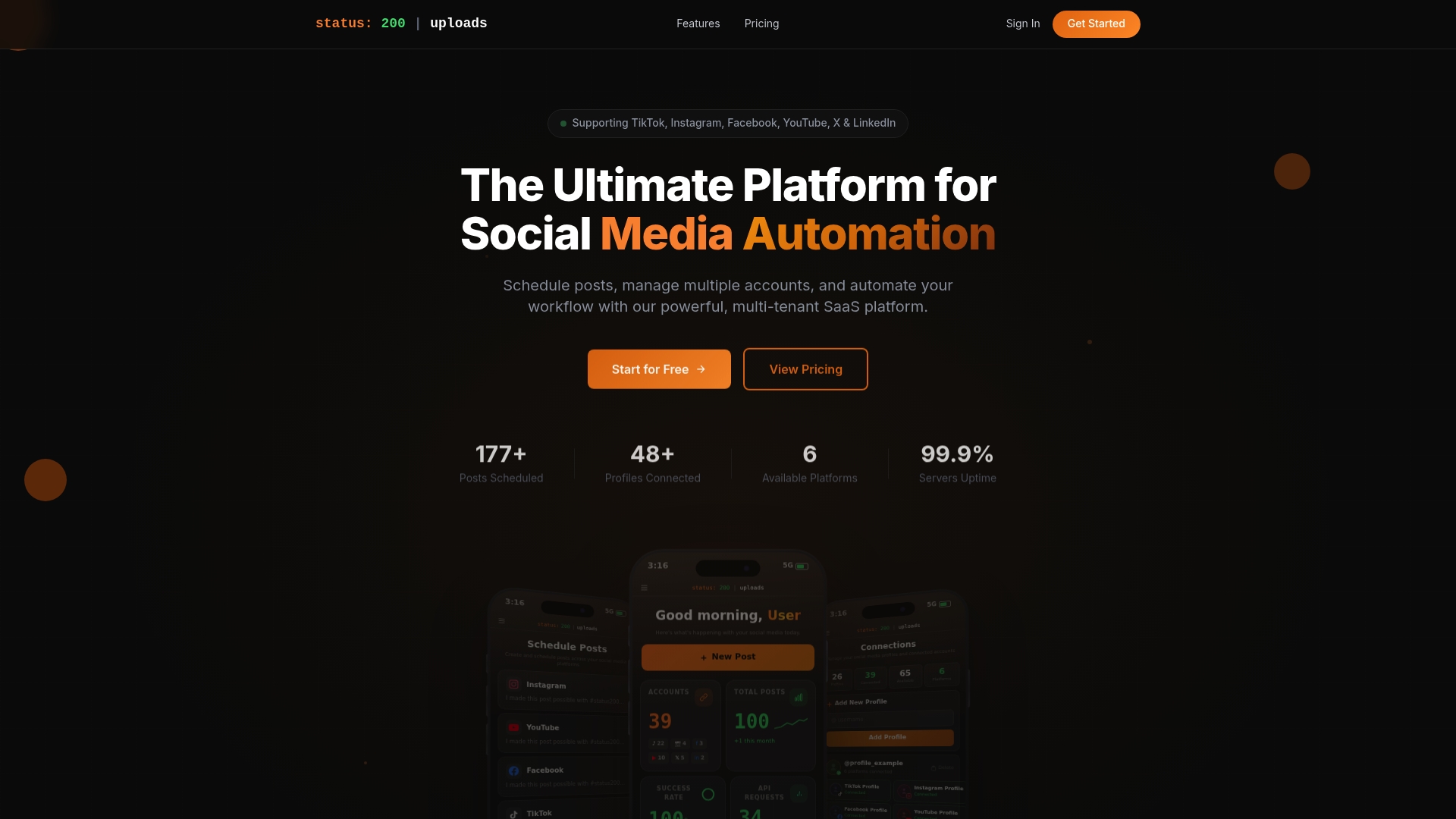
The platform gives you a single dashboard to connect TikTok, Instagram, Facebook, YouTube, X, and LinkedIn accounts, schedule posts with rich media, and track performance without switching tabs. Automation-ready integrations with Zapier and Make.com mean your workflow can run itself once it’s set up. You can explore multi-platform scheduling to see the full feature set, or go straight to see pricing to find the plan that fits your team. The time you reclaim is yours to put back into the creative work that actually grows your brand.
Frequently asked questions
How do I avoid algorithm penalties when posting across platforms?
Adapt your posts for each platform’s tone and format, stagger your posting times by at least 15 minutes, and always remove watermarks before cross-posting. Adapting CTAs and hashtags per platform is the most effective way to stay in algorithmic favor.
How much time can I save with a unified multi-platform posting process?
Most social media managers report saving 15-20 hours weekly once they shift to a structured scheduling workflow, with per-post production time dropping to three to five minutes.
What are the best platforms for small and medium businesses to prioritize?
Focus on three to four platforms where your specific audience is most active. For most SMBs, prioritizing Instagram, LinkedIn, Facebook, and TikTok covers the widest relevant audience without stretching your team too thin.
Is it better to schedule posts or post manually?
Consistent scheduling consistently outperforms sporadic manual posting. The idea that scheduling tools hurt organic reach is a persistent myth not supported by platform data for most account types.