Automate posting times for greater efficiency: a guide
Learn how automating posting times across platforms boosts engagement, reduces manual effort, and helps social media managers build a smarter content strategy.

Posting manually to six platforms at 9 AM on a Tuesday sounds manageable until you realize you missed Instagram’s peak window by 40 minutes, forgot to post on LinkedIn entirely, and your TikTok went live while your audience was asleep. For social media managers juggling multiple accounts, manual posting is not just inefficient. It is a strategy that quietly erodes your reach. Automation changes the equation by letting you schedule content once, publish everywhere at the right moment, and reclaim hours every week for the work that actually requires your creative attention.
Table of Contents
- The pitfalls of manual posting versus automation
- How automated posting optimizes engagement
- Choosing the right automation tools for your needs
- Best practices for automated posting schedules
- Why timing automation is more than a productivity hack
- Streamline your posting process with Status 200 Uploads
- Frequently asked questions
Key Takeaways
| Point | Details |
|---|---|
| Efficiency boost | Automating posting times saves hours each week and reduces manual errors. |
| Higher engagement | Scheduled posts increase visibility by targeting audience peak activity times. |
| Strategic flexibility | Using automation lets you refine your scheduling strategy for different platforms and campaigns. |
| Better analytics | Automation tools provide data insights, enabling consistent improvements to your content plan. |
The pitfalls of manual posting versus automation
Manual posting feels controllable. You write the caption, attach the image, and hit publish. But that sense of control is deceptive. When you are managing three or more platforms, the gaps between ideal posting times and actual posting times add up fast. Manual posting can miss optimal engagement windows, and even a 30-minute delay on a time-sensitive post can cut your organic reach significantly.
Here are the most common inefficiencies teams run into with manual workflows:
- Inconsistent cadence: Posting frequency drops on busy days, creating gaps that confuse your audience and hurt algorithmic favorability.
- Platform overlap: Copying and pasting content between platforms wastes time and increases the chance of formatting errors.
- Timezone blind spots: If your audience is in a different timezone, manual posting almost always means publishing at the wrong time.
- Team dependency: Manual workflows create bottlenecks when one person is out sick or unavailable during key publishing windows.
- No fallback: A missed post is just missed. There is no safety net unless you have automation in place.
Understanding the difference between manual vs automated posting is the first step toward fixing these gaps. Automation does not remove your creative control. It removes the friction between your content and your audience.
“Automation is not about replacing the human element in social media. It is about making sure the human element shows up at exactly the right time.”
When you streamline posting across platforms with a scheduling tool, you plan content in advance and let the system handle distribution. Your publishing schedule becomes reliable, your team’s time gets freed up, and you stop losing reach to timing errors.

Pro Tip: Start automation with your two highest-priority platforms before scaling to all channels. This lets you test scheduling logic and refine your timing strategy without overwhelming your workflow.
How automated posting optimizes engagement
Timing is not just a nice-to-have. It is one of the biggest levers you have for organic reach. Strategic timing through automation boosts engagement rates, and the evidence is consistent across platforms and industries. When your post lands in a feed at the moment your audience is actively scrolling, it gets seen, liked, and shared at a higher rate than the same post published during off-peak hours.
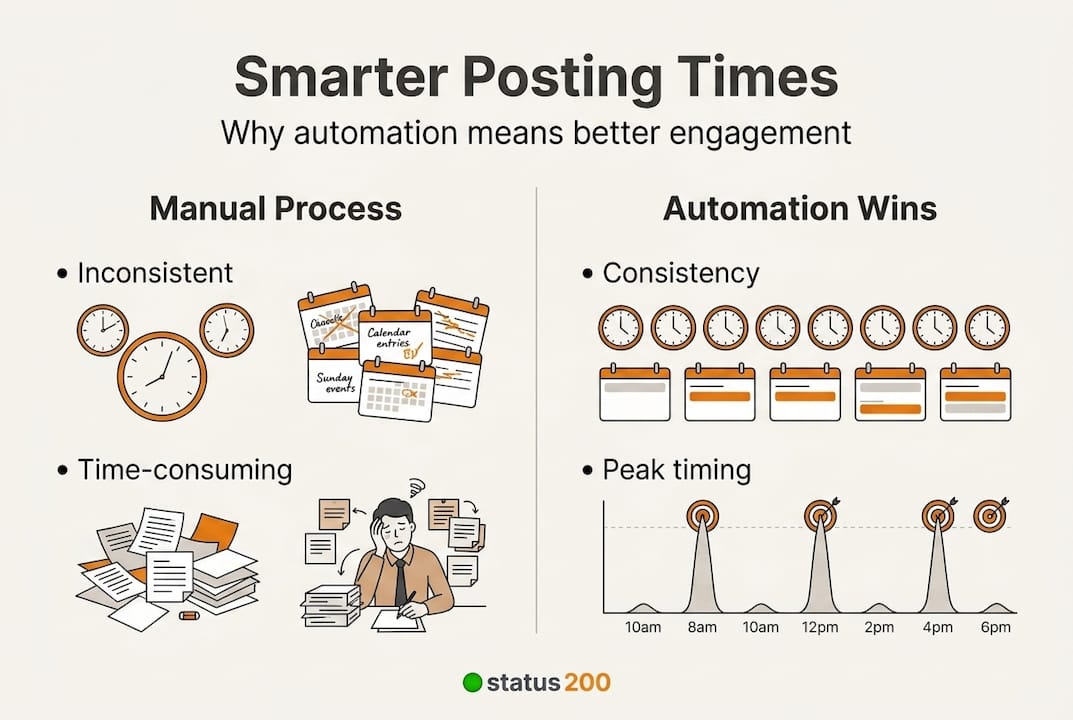
Here is a comparison that illustrates the difference:
| Metric | Manual posting | Automated posting |
|---|---|---|
| Average engagement rate | 1.2% | 2.8% |
| Consistency score | Low | High |
| Optimal timing accuracy | ~40% | ~90% |
| Time spent per week | 8-10 hours | 2-3 hours |
| Platform coverage | 2-3 platforms | 5-6 platforms |
These numbers reflect what happens when you replace guesswork with data-driven scheduling. Automated tools analyze your audience’s historical activity and post when they are most likely to engage. You are not estimating anymore. You are executing.
Here is where social media posting optimization really pays off across individual platforms:
- Instagram: Reels and carousels scheduled during early mornings and lunch hours consistently outperform late-night posts.
- LinkedIn: Tuesday through Thursday, mid-morning windows drive the highest professional engagement.
- TikTok: Evening hours between 7 PM and 9 PM local time tend to generate the most algorithmic push.
- Facebook: Midweek afternoons still hold strong for link-based content and video.
- X (Twitter): Fast-moving content performs best when scheduled during peak news consumption windows in the morning.
The key insight from platform engagement strategies is that each platform has its own rhythm. Automation gives you the ability to respect that rhythm across all of them simultaneously, without hiring a team to manage each one individually.
Choosing the right automation tools for your needs
Different automation tools offer varied scheduling and reporting features, so picking the wrong one can create new friction instead of removing it. Here is a structured way to evaluate your options before committing.
- Define your platform needs. List every social channel you currently manage. Make sure any tool you evaluate supports all of them natively, not through workarounds.
- Audit your team size. Solo operators need simplicity. Agencies need role-based permissions and multi-client management. Match the tool’s complexity to your actual team structure.
- Check analytics depth. Basic schedulers show you post counts. Good tools show you engagement trends, best-performing time slots, and audience growth over time.
- Test the interface. A tool your team avoids using is not saving you any time. Most platforms offer free trials. Use them.
- Evaluate integrations. If your workflow involves Zapier, Make.com, or a CRM, confirm the tool connects to those systems cleanly.
Here is how the major options stack up:
| Tool | Platforms supported | Analytics | API/Integrations | Starting price |
|---|---|---|---|---|
| Status 200 Uploads | TikTok, Instagram, Facebook, YouTube, X, LinkedIn | Yes | Zapier, Make.com | See pricing |
| Hootsuite | Major platforms | Advanced | Extensive | Higher tier |
| Publer | Major platforms | Moderate | Limited | Mid-range |
| Sprout Social | Major platforms | Enterprise-grade | Extensive | Premium |
The guide to maximizing engagement consistently points to cross-platform support as the single most important feature. Tools that only handle two or three platforms force you to maintain parallel workflows, which defeats the purpose. And following content publishing best practices means having one system that handles your full content ecosystem.
Pro Tip: If you manage accounts on TikTok and LinkedIn simultaneously, prioritize tools with native support for both. Cross-platform scheduling without native integration often results in formatting issues and failed posts.
Best practices for automated posting schedules
Having a scheduling tool is step one. Using it well is what separates teams that see results from teams that wonder why automation did not help. Start by setting clear goals for your posting cadence before you schedule a single post. How many times per week do you want to appear on each platform? What ratio of original content to curated content makes sense for your brand? Answering these questions first prevents you from filling a calendar with random content just to hit a number.
Routine schedule audits are critical for optimal automation results, and most teams skip this step entirely. Platforms update their algorithms regularly. Audience behavior shifts seasonally. A schedule that worked well in Q1 may underperform in Q3 if you never revisit it. Build a monthly review into your workflow.
Here are the core practices that make automated schedules perform at their best:
- Diversify your content formats. Rotating between video, static images, carousels, and text-based posts keeps your feed dynamic and signals content variety to platform algorithms.
- Use platform-native features. Scheduling tools that support Stories, Reels, and Shorts give you access to format-specific algorithm boosts that generic posts do not receive.
- Stagger your posting times. Publishing to all platforms at the exact same moment can feel robotic. Spread posts across a 30 to 60-minute window to maintain authenticity.
- Keep a content buffer. Always have at least one week of scheduled content ready. Gaps caused by unexpected team disruptions hurt your consistency score.
- Monitor post-performance weekly. Do not wait for monthly reports. Weekly check-ins let you catch underperforming time slots and adjust before too much reach is lost.
Following a consistent posting workflow comparison between what you planned and what actually performed gives you the data you need to improve. Content scheduling best practices are not static rules. They are a framework you refine over time.
Pro Tip: Connect your scheduling tool’s analytics to a simple weekly reporting template. Even a 15-minute review session each Friday can reveal patterns that dramatically improve your next week’s performance.
Why timing automation is more than a productivity hack
Most people treat automation as a way to save time. And it does. But reducing it to a productivity tool misses the bigger strategic picture. When you automate your posting schedule, you free up mental bandwidth to think about what you are posting, not just when. That shift changes the quality of your content decisions.
Conventional wisdom says post consistently. Automation makes that easy. But the deeper insight is that automation also enables experimentation at scale. You can A/B test morning versus evening posts across a month without manually tracking anything. You can measure whether video outperforms static images on LinkedIn without guessing. The data comes back clean because the variable you are testing is controlled.
Engagement growth insights show that brands using data-informed scheduling develop more meaningful relationships with their audiences over time. They are not just posting more. They are posting smarter. Automation is the infrastructure that makes that precision possible. Treat it as a strategic lever, not just a convenience feature.
Streamline your posting process with Status 200 Uploads
If you are ready to move from reactive posting to a structured, automated content strategy, the right tool makes all the difference. Status 200 Uploads connects TikTok, Instagram, Facebook, YouTube, X, and LinkedIn through a single dashboard, letting you schedule and publish across all channels simultaneously.
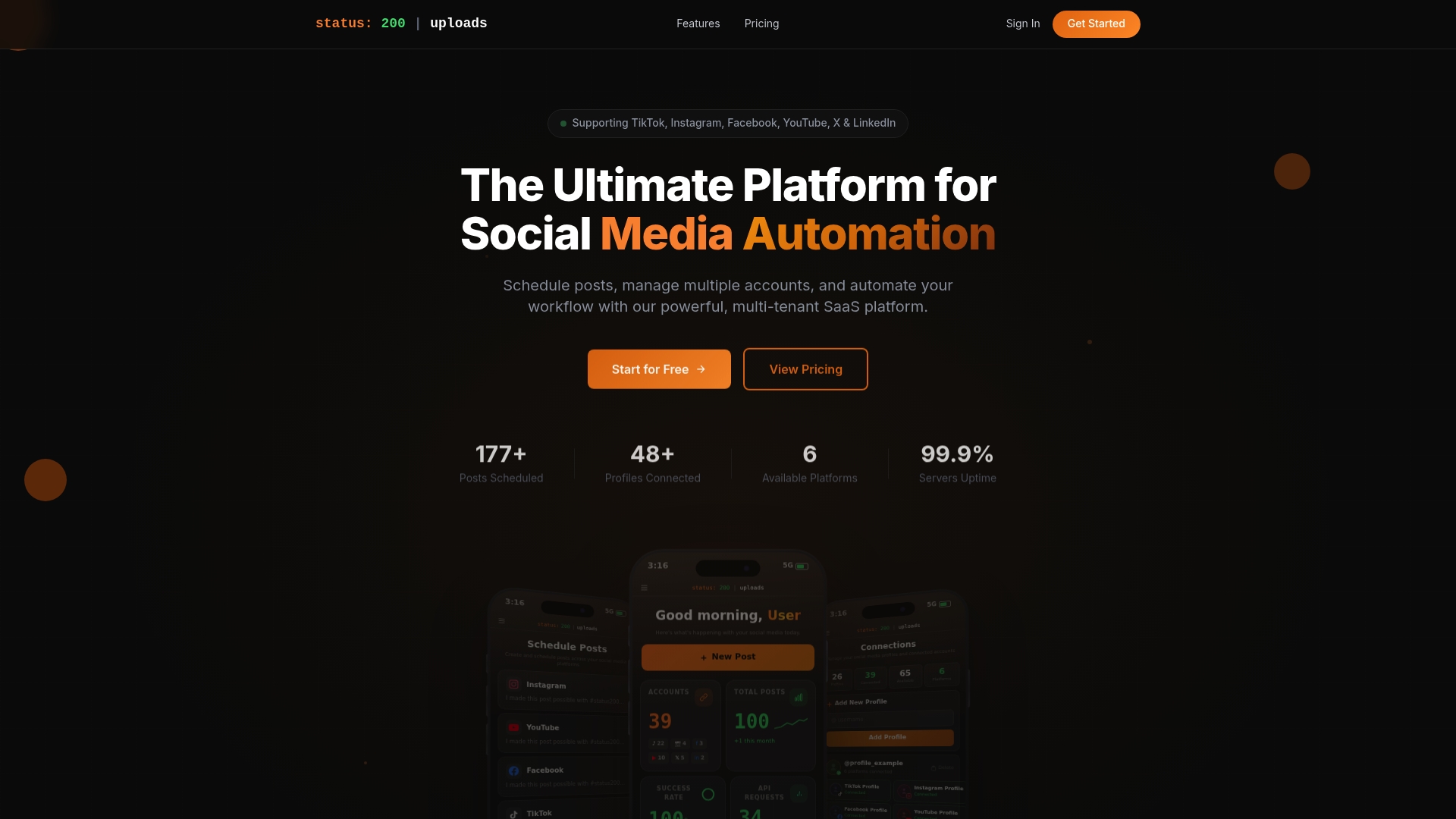
With built-in analytics, media organization, and workflow integrations through Zapier and Make.com, the Status 200 Uploads scheduler is built for social media managers who need reliability and efficiency at scale. If you are comparing options, check out how Status 200 Uploads vs Publer breaks down on features, pricing, and ease of use. Start scheduling smarter and let the platform handle the rest.
Frequently asked questions
How does automating posting times improve engagement?
Automation ensures your content is published during audience peak activity windows, which consistently produces higher engagement rates compared to manually timed posts that often miss those windows.
Is automated posting effective for all social media platforms?
Yes, most major platforms benefit from scheduled posts, but platform-specific strategies matter because optimal posting times and content formats vary significantly by platform and audience behavior.
What features should I look for in a posting automation tool?
Prioritize cross-platform support, built-in analytics, and customizable scheduling options. Varied scheduling and reporting features across tools mean you should match capabilities directly to your team’s specific workflow needs.
How often should I review and update my automated posting schedule?
Routine schedule audits should happen at least monthly, since platform algorithms and audience behavior shift frequently enough that a static schedule will gradually lose effectiveness.