What is content scheduling? The social media manager's guide
Discover what is content scheduling and how it transforms your social media strategy. Master the art of effortless posting today!

What is content scheduling? The social media manager’s guide
Most people think content scheduling means picking a time and hitting publish. That’s like thinking a flight plan is just writing down a departure time. What is content scheduling, really? It’s the execution layer of your entire social media strategy: the system that queues your posts, publishes them automatically at the right moment, and keeps your presence alive across platforms without you being glued to your phone. For social media managers juggling five accounts and small business owners wearing every hat at once, understanding this distinction is the difference between a strategy that runs itself and one that runs you.
Table of Contents
- Understanding content scheduling: the execution layer for social media
- Key benefits of content scheduling for social media managers and small businesses
- How content scheduling fits into your social media workflow
- Choosing and using content scheduling tools for multiple social platforms
- Best practices and pitfalls: scheduling smartly to maximize impact and avoid risks
- Why relying solely on content scheduling can backfire without human oversight
- Streamline your social media with Status 200 Uploads scheduling tools
- Frequently asked questions
Key Takeaways
| Point | Details |
|---|---|
| Execution, not just timing | Content scheduling automates the publishing process, distinct from planning what to post. |
| Consistency boosts growth | Scheduling ensures regular posts, building audience trust and algorithmic momentum. |
| Batching improves workflow | Creating posts in dedicated sessions enhances creativity and content coherence. |
| Choose tools wisely | Select scheduling platforms that support your volume and multi-channel needs. |
| Balance automation with oversight | Monitor scheduled posts daily to pause during crises and maintain authenticity. |
Understanding content scheduling: the execution layer for social media
To understand the importance of content scheduling, we must first clarify exactly what it is and how it fits within social media management.
Content scheduling is not content planning. That’s the most important distinction you can make. Planning is where you decide what to post, who you’re talking to, and why a piece of content belongs in your feed at all. Scheduling is what happens after that decision is made. Content scheduling is the execution layer where posts are queued to publish automatically at optimal times, separate from the planning process that decides what and why to post.
Think of it this way: planning is writing the script, scheduling is running the production. Without scheduling, every post requires you to show up manually, at the right time, on the right platform, every single day. That’s not a workflow. That’s a part-time job you didn’t sign up for.
Here’s what content scheduling actually handles in your social media workflow:
- Automatic publishing at preset times without manual intervention
- Multi-platform queuing so one piece of content goes out across TikTok, Instagram, LinkedIn, and more simultaneously
- Time-zone targeting to reach audiences in different regions at their peak activity hours
- Post sequencing to control the order and rhythm of your content mix
- Reduced reliance on memory and last-minute scrambles
When you pair scheduling with social media automation, you’re not just saving time on individual posts. You’re building a publishing infrastructure that runs in the background while you focus on the work that actually requires your brain.
Key benefits of content scheduling for social media managers and small businesses
Now that we understand what scheduling is, let’s explore the key benefits it delivers to help manage social media more effectively.
The most obvious benefit is consistency. Audiences don’t care that you had a hectic Tuesday. They notice when your feed goes quiet for two weeks. Scheduling removes human inconsistency from the equation by ensuring posts go out on time, every time, regardless of what else is happening in your business. When you centralize social media management through a single scheduling platform, that consistency scales across every account you manage.
Beyond consistency, here’s what good scheduling genuinely does for you:
- Frees up real time. Batching a week’s worth of posts in two hours beats logging in daily to post manually across every platform.
- Improves post quality. When you’re not rushing to publish, you write better captions, choose better visuals, and think more clearly about what you’re saying.
- Hits optimal times without effort. Platform algorithms reward posts that land when your audience is active. Scheduling lets you target those windows without watching a clock.
- Gives you visual control. Most scheduling tools show a preview of your upcoming feed, letting you catch awkward juxtapositions before they go live.
- Reduces costly mistakes. A typo in a live post is embarrassing. A typo in a scheduled draft is fixable. Scheduling adds a review layer between creation and publication.
Scheduling transforms daily stress into a system, ensuring posts are published with confidence and in sequence before going live. That shift from reactive to proactive is where most social media managers report their biggest productivity gains.
Having strong media management strategies alongside your scheduling workflow amplifies these benefits even further. When your assets are organized and your publishing is automated, the entire operation becomes something you control rather than something that controls you.

Pro Tip: Don’t just schedule posts. Schedule reviews of your upcoming queue. A 10-minute calendar block every Monday morning to check the week ahead will catch outdated content, tone issues, and sequencing problems before they go public.
How content scheduling fits into your social media workflow
Understanding its role, let’s place scheduling into the broader social media workflow to see how it connects with planning and content production.
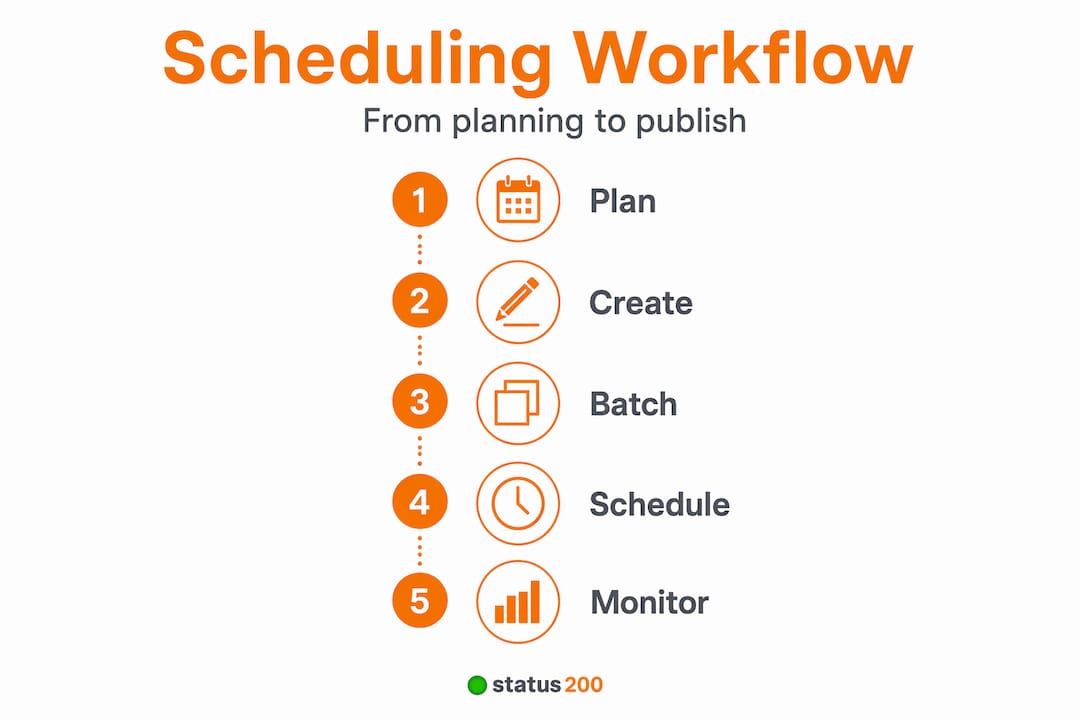
Scheduling doesn’t exist in isolation. It’s the final step in a four-part operational chain that every effective social media program runs on. Content planning handles what and why to post, the content calendar maps the schedule, batching groups creation, and scheduling automates publishing. Here’s how those steps flow in practice:
- Content planning defines your themes, goals, and messaging for a given period. What campaigns are running? What audience pain points are you addressing? What content types fit each platform?
- Content calendar mapping takes those decisions and assigns them to specific dates and platforms. This is your social media calendar: a structured view of what goes live, when, and where.
- Batching means creating multiple posts in focused, dedicated sessions rather than one at a time. This is where you write captions, edit visuals, and prepare assets in bulk.
- Scheduling takes those completed posts and queues them for automatic publishing at the times you’ve designated.
| Layer | What it answers | Output |
|---|---|---|
| Content planning | What and why | Content strategy doc |
| Content calendar | When and where | Mapped publishing schedule |
| Batching | How many at once | Ready-to-queue post drafts |
| Scheduling | Automatic execution | Live published posts |
Most social media managers skip from planning directly to scheduling and wonder why their content feels rushed or inconsistent. The calendar and batching steps are where quality actually gets built in.
Pro Tip: Treat batching sessions as non-negotiable appointments in your calendar. One two-hour session per week creates more output than 15 minutes of reactive posting every day, and the quality difference is immediately visible.
Choosing and using content scheduling tools for multiple social platforms
With workflow clarity, let’s look at practical tool choices and what features matter when scheduling across multiple platforms.
The market for scheduling tools ranges from free entry-level options to platforms built for agencies managing dozens of accounts. What matters most isn’t the price point. It’s whether the tool matches your volume, the platforms you use, and how your team actually works.
Key features to evaluate when choosing a scheduling tool:
- Multi-platform support: Does it cover TikTok, Instagram, YouTube, LinkedIn, Facebook, and X?
- Account connection limits: How many accounts per platform can you connect?
- Post volume limits: Some free tiers cap monthly posts, which can surprise growing businesses.
- Visual feed preview: Can you see what your grid or timeline will look like before anything goes live?
- Approval workflows: Important for agencies or teams where someone must sign off before publishing.
- Analytics integration: Can you track performance from the same dashboard where you schedule?
For reference on volume, Adobe Express Content Scheduler’s free plan allows up to 1,000 posts per month across six social channels, with one connected account per channel. That’s generous for solo creators but limiting for anyone managing multiple client accounts.
| Feature | Free tools | Mid-tier tools | Agency tools |
|---|---|---|---|
| Platforms supported | 3 to 6 | 6 to 10 | 10+ |
| Monthly post limit | 10 to 1,000 | Unlimited or high cap | Unlimited |
| Accounts per platform | 1 | 1 to 5 | 5+ |
| Team collaboration | None | Basic | Full approval workflows |
| Analytics | Basic | Platform-level | Cross-platform reporting |
Native scheduling (using each platform’s own built-in scheduler) is free and reliable for single-platform use. The moment you’re managing three or more platforms, though, native tools multiply your workload. A centralized third-party tool that lets you connect multiple social accounts from one place saves more time than it costs for most businesses beyond the solo-creator stage.
Pro Tip: Before committing to any scheduling tool, map your actual posting volume across all platforms for a typical month. Many users underestimate their volume and hit plan limits within two weeks, forcing an upgrade they didn’t budget for.
Before making a final decision, take the time to compare social media tools side by side to find the right fit for your specific workflow and business size.
Best practices and pitfalls: scheduling smartly to maximize impact and avoid risks
Having the right tools, let’s examine how to use scheduling smartly to boost results while avoiding common pitfalls.
Scheduling at optimal times increases engagement, and batching content improves productivity and content quality. But scheduling also introduces a risk most guides gloss over: posts can go live at exactly the wrong moment.
Here are the practices that separate effective schedulers from those who get burned:
- Use platform analytics to find your actual best times. Every audience is different. Your Tuesday 9 AM might outperform the industry standard Thursday 6 PM. Check your data, not a generic chart.
- Batch in advance but review before the week starts. Scheduling three weeks out is efficient. Forgetting to check what’s queued is not.
- Keep a manual response window daily. Scheduling handles publishing. It does not handle replies, comments, or the kind of real-time engagement that builds actual audience relationships.
- Maintain roughly an 80/20 balance. About 80% planned scheduled content and 20% real-time posts keeps your feed feeling active rather than automated.
- Tag your content by type in your calendar. Alternate between promotional, educational, entertaining, and community posts to avoid a feed that feels monotonous.
For TikTok specifically, scheduling requires extra attention to trending audio and formats. A TikTok post scheduled two weeks out may miss a format trend that peaked and passed.
The most overlooked risk in scheduling is crisis sensitivity. Scheduled posts risk going live during crises, so daily monitoring and manual pausing is necessary to avoid publishing content that reads as tone-deaf against breaking news or national events.
A promotional post for a flash sale that goes live during a breaking news event doesn’t just underperform. It damages trust in ways that take months to rebuild. Your queue needs a human watching it.
Why relying solely on content scheduling can backfire without human oversight
Here’s the view most scheduling guides won’t give you: scheduling is not a replacement for management. It’s a reduction of manual labor. Those two things are not the same.
The risk of scheduled posts going live during crises is real, documented, and routinely underestimated by teams that treat their scheduling tool as a “set it and forget it” solution. Major brands have posted upbeat promotional content during natural disasters, political crises, and public tragedies because someone forgot to pause the queue. The tool did exactly what it was told. The failure was human.
Scheduling also creates a false sense of presence. Your posts are going out. Your brand looks active. But if nobody is responding to comments, acknowledging shares, or participating in conversations your audience is having, the feed becomes a broadcast channel rather than a community. Audiences notice the difference faster than most brands expect.
We’ve seen teams build sophisticated scheduling workflows, hit every optimal time window, maintain perfect posting frequency, and still see declining engagement because the human layer was removed entirely. The algorithm rewards activity. Real audiences reward authenticity. Scheduling supports one of those things directly. The other requires you to show up.
The fix is simple but requires discipline: centralize social media management so you can see your full scheduled queue and your live engagement metrics in one place. Combine that view with a daily 15-minute check-in and you get the efficiency of automation without the blind spots it creates.
Scheduling is a tool. Your judgment is the strategy. Neither works as well without the other.
Streamline your social media with Status 200 Uploads scheduling tools
If you’re ready to move from reactive daily posting to a system that works while you focus on the bigger picture, Status 200 Uploads was built for exactly that shift.
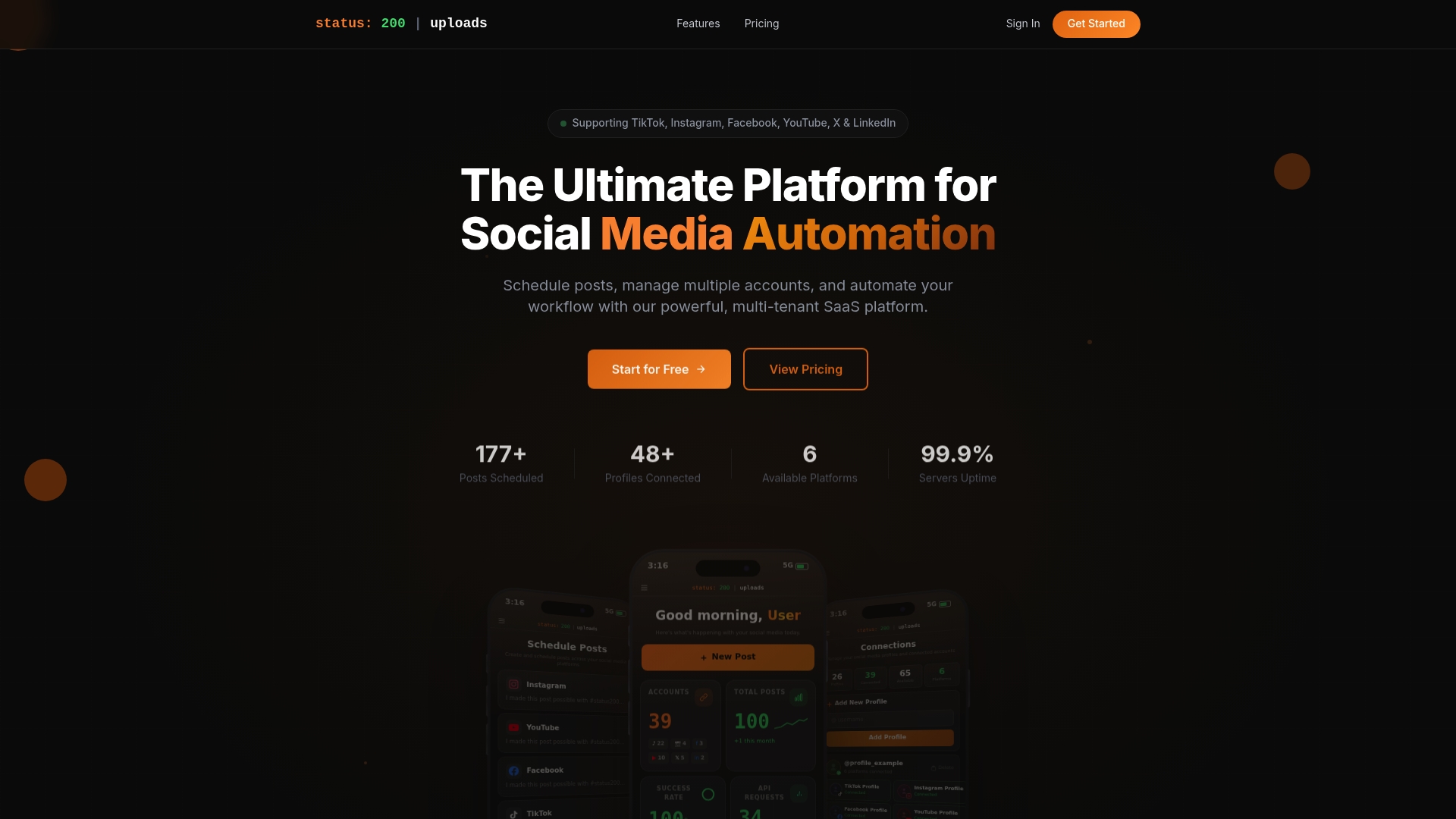
Status 200 Uploads lets you schedule and publish across TikTok, Instagram, Facebook, YouTube, X, and LinkedIn from a single dashboard. You get bulk scheduling, visual post previews, multi-account management, and workflow automation through Zapier and Make.com integrations. Whether you’re a solo manager running five client accounts or a small business keeping your brand visible across platforms, the platform features are designed around real publishing volume and real workflow needs. Not sure how it stacks up? You can compare it directly to see why social media managers and small business owners choose it for cross-platform scheduling.
Frequently asked questions
What is the main difference between content planning and content scheduling?
Content planning defines what and why you post, while content scheduling focuses on when and automates the actual publishing. The two are distinct layers in the social media workflow, with planning feeding directly into scheduling.
Can I schedule content for free across multiple social channels?
Yes. For example, the Adobe Express free plan allows up to 1,000 posts per month across six major social platforms, though it limits you to one connected account per channel.
How do I ensure scheduled posts don’t appear tone-deaf during a crisis?
Monitor your queue daily and be prepared to pause it immediately when unexpected events occur. Scheduled posts risk going live during crises without active human oversight of the publishing pipeline.
Is scheduling more effective than posting in real time?
Scheduling generally outperforms sporadic real-time posting because it hits optimal times consistently and maintains the posting frequency that platform algorithms reward.
Should I schedule all my social media posts or leave some for real-time posting?
A balanced approach works best. Aim for roughly an 80/20 split between scheduled and real-time posts to maintain both consistency and the kind of in-the-moment authenticity audiences respond to.