The role of media management in SMB workflows
Discover the crucial role of media management in SMB workflows. Enhance your team's efficiency and brand consistency today!

Without a clear system for organizing digital assets, social media teams lose more time than they realize. The role of media management goes far beyond file storage — it determines how fast your team produces content, how consistently your brand shows up across platforms, and whether your campaigns actually reach their potential. For SMB social media managers juggling multiple channels with lean teams, poor media management quietly kills productivity through scattered files, version conflicts, and hours spent hunting down the right image or approved logo variant.
Table of Contents
- Understanding media management and its key functions
- The six-stage content supply chain for effective media management
- How media management boosts brand trust and campaign effectiveness
- Implementing metadata and workflow best practices for SMB success
- Leveraging AI-powered monitoring to optimize media performance
- Why strategic media management is a competitive advantage for SMBs
- Streamline your social media workflows with Status 200 Uploads
- Frequently asked questions
Key Takeaways
| Point | Details |
|---|---|
| Centralize media assets | A single, organized platform improves search, reduces duplicates, and saves time for SMB teams. |
| Use structured metadata | Consistent tags and attributes enable faster asset discovery and reuse across campaigns. |
| Implement version control | Keep only approved and current files in use to maintain brand integrity and avoid errors. |
| Automate workflows | Automation in planning, approvals, and scheduling cuts production time by up to 60%. |
| Leverage AI monitoring | AI tools provide real-time engagement data, improving decision making and campaign results. |
Understanding media management and its key functions
Media management is the practice of organizing, governing, and delivering digital assets — images, videos, graphics, audio files — so your team can find, use, and publish them without friction. It sounds simple, but in practice it covers far more than a shared folder structure.
Effective media management centralizes storage, organization, governance, and delivery of digital assets, including metadata indexing, version control, and permission-based access. That last part matters more than most SMBs realize. Without it, three people on your team might each be working from a different version of the same brand template.
Here is what a complete media management system covers:
- Centralized storage: One location for all approved assets, accessible to every team member who needs them
- Metadata indexing: Tags and labels that make assets searchable in seconds, not minutes
- Version control: A clear record of asset revisions so outdated files cannot creep back into live campaigns
- Permission controls: Role-based access that restricts who can edit, approve, or publish assets
- Lifecycle tracking: Automated alerts when assets expire or need updating
- Delivery optimization: Serving assets in the right format and resolution for each platform
The importance of media management becomes most visible when one of these functions breaks down. A missing permission control, for example, can result in a freelancer publishing an unapproved asset to a live channel — a recoverable mistake, but an avoidable one.
The six-stage content supply chain for effective media management
Most social media managers think of content production as a two-step process: make it, post it. The reality is a six-stage supply chain, and each stage is a potential bottleneck if media management strategies are not in place.
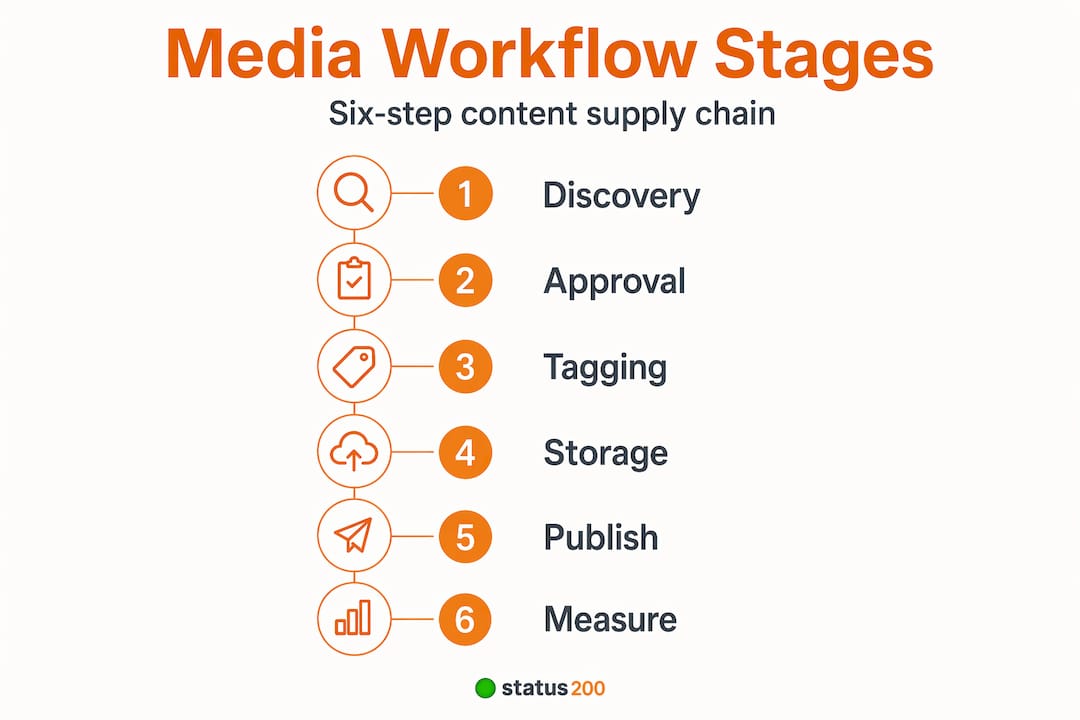
Content supply chain management includes planning, creation, review and approval, asset storage with metadata, distribution, and performance optimization — automating workflows can reduce production time by up to 60%. That number should catch your attention if your team currently manages this process manually.
The six stages work like this:
- Planning: Define content goals, formats, and distribution channels before a single asset is created
- Creation: Produce raw assets with consistent brand parameters already built into templates
- Review and approval: Route content through a defined approval chain, with clear sign-off at each stage
- Asset storage with metadata: Tag and file approved assets immediately, making them retrievable for future campaigns
- Distribution: Push content to the right channels at the right times, ideally through social media automation
- Performance optimization: Analyze results and feed insights back into the planning stage
The table below shows how a broken supply chain compares to a managed one across common SMB pain points:
| Stage | Without media management | With media management |
|---|---|---|
| Asset discovery | 20-45 minutes per search | Under 60 seconds |
| Version errors | Frequent, caught after publishing | Prevented before publishing |
| Approval delays | 2-5 days average | Same-day turnaround possible |
| Cross-platform consistency | Inconsistent formats and messaging | Standardized and on-brand |
| Post-campaign learning | Rarely captured | Systematically archived |
The pattern here is clear: effective media management is not just about tidiness. It compresses timelines, removes human error from routine tasks, and gives small teams the operational capacity of much larger ones.

How media management boosts brand trust and campaign effectiveness
There is a direct line between how you manage your media assets and how much consumers trust your brand. This is not a soft, feel-good claim. 88% of consumers rank company trust as a top buying factor, making consistent messaging and real-time media management vital for SMB campaigns.
Consistency is the mechanism. When your brand shows up with the same tone, visuals, and messaging across Instagram, LinkedIn, and TikTok, you build recognition. When that consistency breaks — wrong logo version, mismatched color palette, off-brand copy published by accident — you erode the exact trust you have worked to build.
“Modern PR is no longer just about media placement. It is about managing reputation in real time, across every channel where your audience forms opinions about your brand.”
Strong media relations management also includes a monitoring function. Real-time tracking of mentions, hashtag performance, and competitor activity gives you the data to respond to trends before they pass and catch negative sentiment before it spreads. You can read more about this in a practical online reputation guide for SMBs.
The core benefits of consistent, data-informed media management for campaigns include:
- Faster response to trends: Monitored data surfaces opportunities in real time
- Reduced off-brand publishing: Approved asset libraries eliminate guesswork
- Higher ROI on paid campaigns: Consistent creative testing improves performance over time
- Unified customer experience: Customers see the same brand regardless of where they encounter it
- Reputational resilience: Problems are caught and corrected before they become crises
When you connect your social accounts through a single platform, this kind of oversight becomes practical rather than aspirational. Fragmented tools make it almost impossible to maintain.
Implementing metadata and workflow best practices for SMB success
Here is where most SMBs lose the battle before it starts: they buy a media management tool without first defining how their content actually flows from idea to publication. The tool cannot fix what the process never established.
90% of media asset management failures in SMBs result from undefined taxonomy and lack of workflow definition. A well-designed metadata system can reduce asset discovery time from hours to seconds. That is not an abstract technology upgrade — that is your team getting hours back every week.
The challenges in media management are almost always process problems dressed up as technology problems. Before you add another tool, address these fundamentals:
- Map your content lifecycle first: Identify every stage from ingest to archive before choosing any software. If you cannot draw the process on a whiteboard, the tool will not make it clearer.
- Build a structured metadata schema: Folder structures alone are not enough. Use consistent tags for campaign name, asset type, platform format, approval status, and expiration date.
- Set granular permissions: Differentiate access for drafters, reviewers, approvers, and publishers. A freelancer does not need the same access as your brand lead.
- Enforce version control actively: Name conventions like “v1_final_FINAL_USE THIS” are a red flag. Proper version control removes the guesswork entirely.
- Automate lifecycle alerts: Set triggers that flag assets approaching expiration or assets that have not been used in 90 days. Dead weight in your library creates confusion.
Understanding the best media formats for each social platform is also part of this equation. Even perfectly tagged assets become a problem if they are saved in the wrong resolution or aspect ratio for their intended channel.
Pro Tip: Create a “publishing-ready” folder in your media library that contains only assets approved for immediate use. Anything in production, under review, or expired lives elsewhere. This single habit eliminates most last-minute publishing errors.
Leveraging AI-powered monitoring to optimize media performance
The impact of media on management decisions has changed dramatically with AI monitoring tools. You no longer need a large analytics team to understand how your content is performing across platforms — you need the right automated system watching for you.
AI-powered media monitoring reduces manual review time by 70%, tracking millions of sources daily to enhance campaign reach and conversion tracking for SMB social managers. For a two or three-person marketing team, that reduction translates directly into capacity for creative work.
70% reduction in manual monitoring time with AI-powered tools — giving lean SMB teams the analytical coverage of a much larger operation.
The practical advantages for SMB social managers include:
- Scaled source coverage: AI tools scan over 3 million online sources daily, including social media, news, and broadcast channels
- Real-time engagement metrics: See which posts are gaining traction as it happens, not in a weekly report
- Automated trend detection: Surface emerging topics relevant to your brand before competitors act on them
- Conversion tracking: Connect media performance directly to outcomes rather than vanity metrics
- Resource reallocation: Less time on manual reporting means more time on strategy and content quality
Combining AI monitoring with audience engagement strategies gives you a feedback loop that continuously improves your media management decisions. You learn faster, adjust faster, and stop wasting budget on content that the data already told you was not working.
If you are still choosing between tools, a side-by-side look at top social media tools for SMBs can help you evaluate which platforms include these monitoring capabilities alongside scheduling and distribution.
Why strategic media management is a competitive advantage for SMBs
Here is the uncomfortable reality most articles in this space skip over: media management is not primarily a technology problem. It is a leadership problem.
70% of media firm failures occur because companies fail to adapt their channels and innovate amid digital disruption. That statistic applies equally to the 12-person marketing agency and the Fortune 500 broadcaster. The pattern is the same: organizations that treat media management as a back-office administrative task lose ground to those that treat it as a core strategic discipline.
SMBs actually have an advantage here that larger companies rarely acknowledge. You can change faster. A three-person social media team can overhaul its metadata schema in a week. A 200-person enterprise takes quarters. The question is whether your leadership recognizes media management as worth that investment of attention.
What separates teams that get this right from those that do not is rarely the quality of their tools. It is whether someone in a decision-making role has defined what “good” looks like for asset organization, approval workflows, and channel strategy — and then held the team accountable to it. Tools execute the vision. They do not create it.
The SMBs we see thriving in content-heavy environments share one trait: they have standardized their workflows before scaling them. They know exactly how an asset moves from idea to publication, who touches it at each stage, and how performance data feeds back into the next campaign. That is not complexity. That is clarity. And clarity scales.
Before you evaluate your next tool, review your current setup against these principles. The best platform in the world will not fix a workflow that was never properly designed.
Streamline your social media workflows with Status 200 Uploads
Applying the media management principles in this article requires a platform built for the way SMB social teams actually work — across multiple accounts, multiple platforms, and tight timelines.
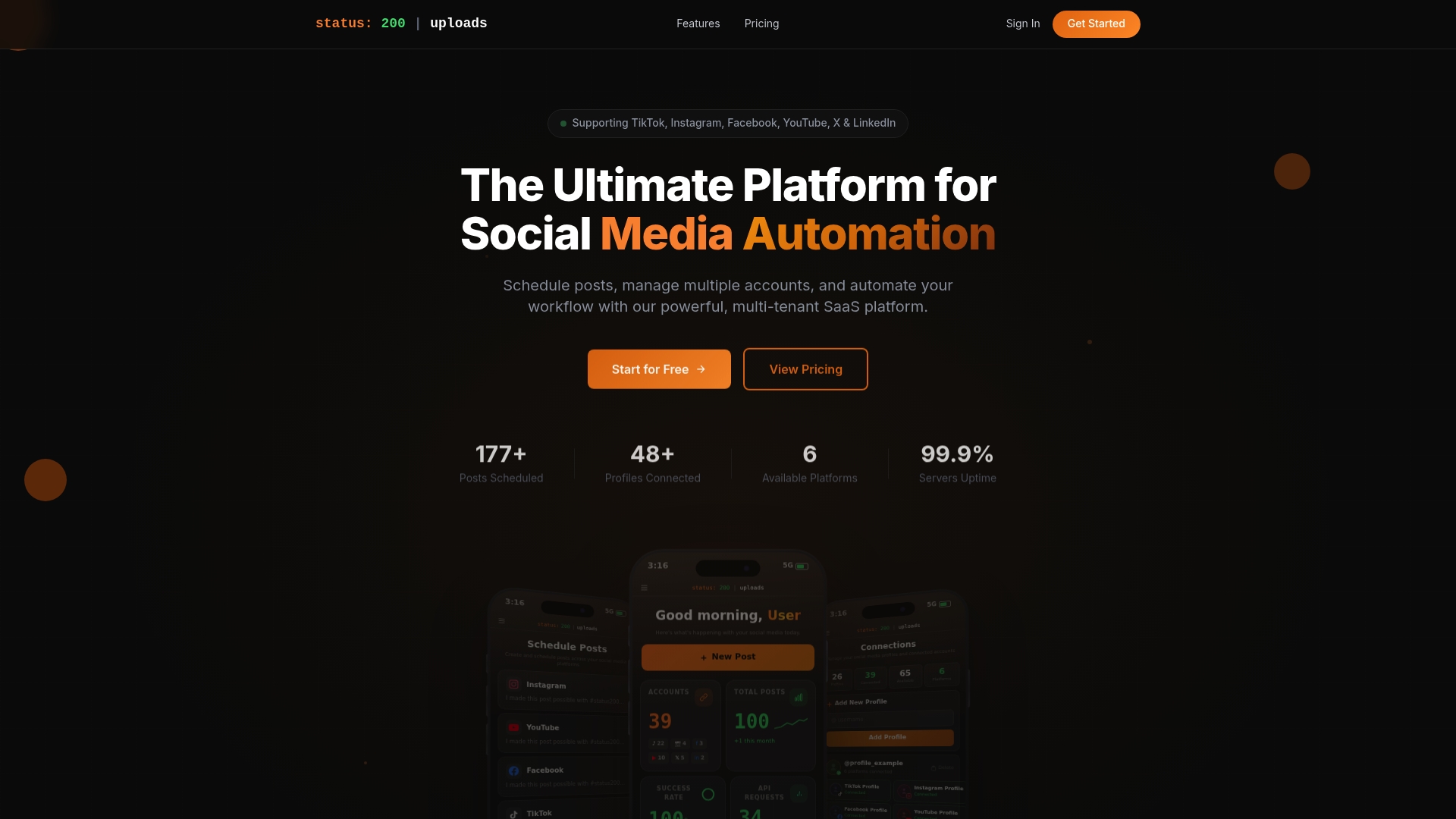
Status 200 Uploads gives you a single dashboard to connect TikTok, Instagram, Facebook, YouTube, X, and LinkedIn accounts, schedule posts with rich media attachments, and publish to multiple platforms simultaneously. Its media organization features support the metadata and workflow practices covered in this article, while automation via Zapier and Make.com reduces the manual steps that slow small teams down. If you are evaluating options, the Status 200 vs. Publer comparison breaks down exactly how the platforms differ for SMB use cases. For teams ready to turn media management strategy into daily practice, this is where to start.
Frequently asked questions
What is the role of metadata in media management?
Metadata organizes and tags digital assets, enabling fast search, retrieval, and consistent reuse across media workflows. Without metadata, teams lose time manually searching through folders and risk duplicating assets.
How does version control improve media workflows?
Version control ensures only current, approved assets are used, preventing outdated content reuse and reducing errors during content production. Without version control, 40% of teams unknowingly use outdated assets, causing brand inconsistency and wasted effort.
Why is media management important for SMB digital campaigns?
It supports brand consistency, speeds production, and provides data insights that optimize campaigns and build the consumer trust essential for SMB growth. 88% of consumers consider company trust a top buying factor, highlighting media management’s direct role in reputation stewardship.
How can AI improve media monitoring for SMB social media teams?
AI automates tracking of engagement across millions of sources, reduces manual review time by 70%, and provides real-time insights to optimize campaign impact. AI analysis enables rapid campaign adjustments and better allocation of a small team’s time and budget.
What common pitfalls should SMBs avoid when managing media assets?
Avoid poorly defined workflows, lack of metadata standards, unclear permissions, and ignoring version control — all of which cause inefficiency and brand risk. 90% of media management failures in SMBs stem from undefined taxonomy and workflow processes, leading to slow asset discovery and avoidable errors.