Guide to content automation for social media managers
Streamline your workflow with our guide to content automation. Save hours on social media tasks, focusing on strategy that drives results!

Picture your Monday morning: you’ve got six platforms open in separate tabs, you’re copy-pasting captions, reformatting images, adjusting character counts, and manually scheduling posts one by one. By the time you’re done, two hours are gone and your actual strategy work hasn’t started. This guide to content automation exists to fix exactly that. Manual scheduling can consume 2-3 hours daily for SMB teams. The pages ahead walk you through every stage of automation, from understanding the basics to building workflows that run while you focus on the work that actually moves the needle.
Table of Contents
- Understanding content automation and its benefits
- Preparing your content supply chain for automation success
- Implementing social media content automation: step-by-step workflows
- Verifying results and optimizing your automated content workflows
- Editorial perspective: why automation should amplify, not replace human creativity
- Take your content automation further with Status 200 Uploads
- Frequently asked questions
Understanding content automation and its benefits
Content automation is the practice of using software and AI to handle repetitive steps across your content lifecycle. That lifecycle includes more than just posting. It covers planning, drafting, approvals, publishing, and performance tracking. Automation tools take over the mechanical steps inside each stage, leaving your team to make the decisions that require genuine judgment.
Content automation uses AI and workflow software to manage the entire content lifecycle, reducing repetitive tasks while letting humans maintain strategy and brand voice. That framing matters because it sets the right expectation. You are not removing humans from the process. You are removing the low-value friction that slows them down.
The core benefits of content automation for social media managers at SMBs include:
- Time savings: Automated scheduling eliminates the daily copy-paste cycle across platforms.
- Content consistency: Posts go out at optimal times without relying on someone to remember.
- Scalability: You can manage two brand accounts or twenty without proportionally increasing headcount.
- Fewer errors: Automation removes the manual reformatting mistakes that quietly damage brand credibility.
- Quality improvement: AI-powered content workflows can cut research time significantly and improve draft quality before a human ever reviews the output.
There is also a compounding benefit to understanding the social media automation benefits beyond the obvious time savings. When your team stops spending cognitive energy on scheduling logistics, their strategic thinking sharpens. They notice engagement trends faster. They catch brand voice drift earlier. Automation creates the mental space that good strategy requires.
The role of automation in content strategy is not to replace editorial thinking. It is to clear the path so editorial thinking can actually happen.
Now that you understand the value of automation, we’ll explore how to prepare your team and processes before implementation.
Preparing your content supply chain for automation success
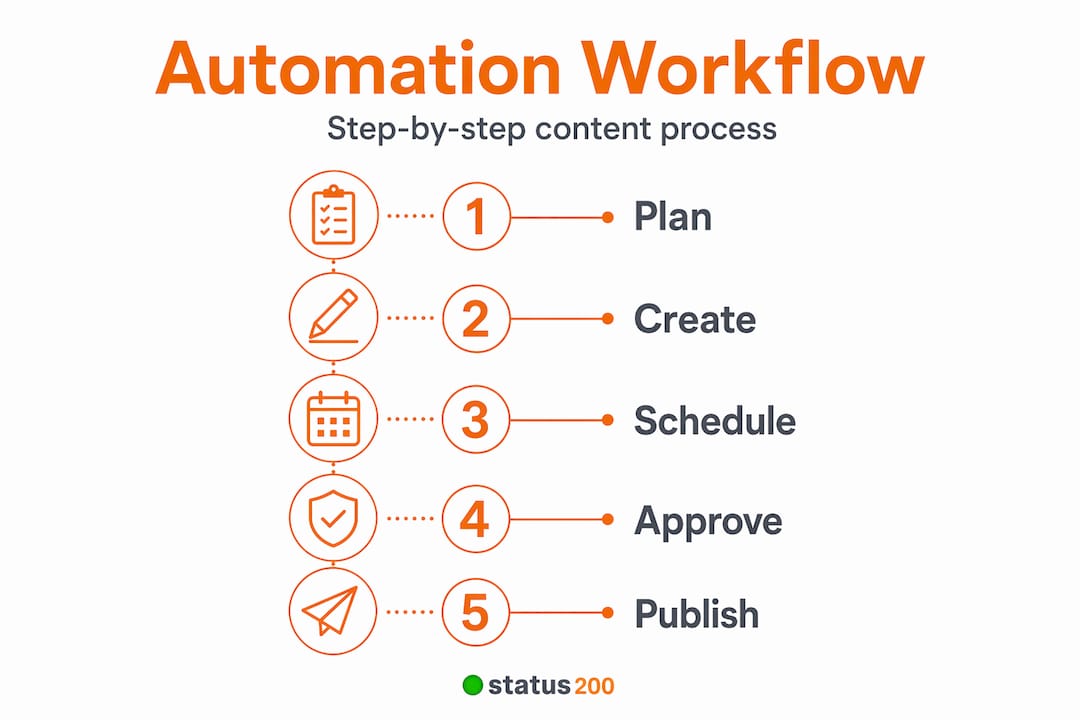
Here is the insight most guides skip: automation does not fix a broken workflow. It accelerates it. If your approval process is chaotic or your content calendar is inconsistently maintained, automating on top of that chaos makes things worse, faster.
Automating a broken process emphasizes inefficiencies. You need strong planning, review, and governance processes in place before a single automation tool touches your workflow. Start with an honest audit.
Follow these steps before you automate anything:
- Map your current content lifecycle. Write down every step from idea to published post. Include who owns each step and how long it typically takes.
- Identify your bottlenecks. Where do drafts stall? Which approval steps take days when they should take hours? These are your highest-priority targets for process improvement, not automation.
- Define clear roles and governance. Who approves what? What content requires legal review? What can a junior team member publish without a second set of eyes? Write it down before you try to encode it into a tool.
- Establish your approval policies. Know the difference between low-risk posts (routine product updates, holiday greetings) and high-risk posts (campaign launches, sensitive topics). Your automation logic will depend on this distinction.
- Map your existing tools. Identify your current CMS, media library, content calendar, and social scheduler. Understanding what already exists helps you centralize social media workflows rather than layering on redundant tools.
A well-maintained social media calendar is foundational here. Without a reliable calendar driving your content pipeline, automation triggers have nothing consistent to respond to.
Pro Tip: Pilot automation on your most stable, predictable content first. A recurring weekly product post with a fixed format is a better starting point than a campaign-specific series with changing creative requirements. Get your feedback loop tight before expanding.

With a strong foundation, you can now move on to the actual execution of automation tools and workflows.
Implementing social media content automation: step-by-step workflows
This is where content automation strategies move from theory into practice. The implementation goal is building workflows where content moves from approved draft to published post without anyone manually triggering each platform.
Start with trigger-to-asset mapping. This means defining exactly what format, character count, aspect ratio, and caption structure each platform requires, then building those rules into your automation logic. When a content item is approved in your calendar and its row changes state, automation pushes platform-specific drafts to connected channels simultaneously, saving hours of manual effort. Getting this mapping right is the single most underestimated technical task in the entire process.
Here is a practical implementation sequence:
- Build your content calendar as your single source of truth. Every post starts here. State changes in the calendar (Draft, In Review, Approved, Scheduled) become your automation triggers.
- Define your approval gate structure. Risk-based gating uses soft gates for low-risk automated approvals and hard gates requiring human sign-off for higher-risk content. Soft gates move routine posts automatically. Hard gates route flagged content to a human reviewer before any publishing trigger fires.
- Connect your approval layer to your scheduler. Tools like ApproveThis integrated with Buffer automate social media approvals, blocking auto-posting until required sign-offs are in place. Rule-based routing can automatically escalate posts requiring legal or budget review without manual triage.
- Configure your platform-specific publishing rules. Use your scheduler’s settings to store aspect ratio requirements, character limits, and hashtag strategies per platform. This prevents the manual reformatting step entirely.
- Activate and monitor. Run your first automated publishing cycle on a small batch. Review every output before scaling to full volume.
| Workflow stage | Trigger source | Approval gate type | Responsible party |
|---|---|---|---|
| Draft creation | Content calendar entry | None | Content creator |
| Internal review | Status change to “In Review” | Soft gate | Team lead |
| Legal or finance check | Flag by rule (e.g., paid claim) | Hard gate | Legal or finance |
| Scheduling | Status change to “Approved” | Soft gate | Automation |
| Publishing | Scheduled time reached | None | Automation |
| Post-publish QA | Publish confirmation webhook | Automated scan | QA tool |
For SMB social media tools selection, prioritize platforms that support multi-account management and have native API connections to your existing tech stack. Understanding social media content formats per platform also shapes how you build your asset libraries for automation. Following automated publishing best practices from the start reduces the troubleshooting burden later. And building strong media management strategies ensures your asset library feeds automation reliably without manual file hunting.
Pro Tip: Monitor API error logs closely for the first 72 hours of any new automation workflow. Most failures cluster in that window, and catching them early prevents a silent backlog of failed posts from building up unnoticed.
Once your automation workflows are operational, it’s crucial to verify performance and iterate for continuous improvement.
Verifying results and optimizing your automated content workflows
Automation without monitoring is just scheduled chaos with better branding. Verification is what keeps your content automation strategies producing real results over time.
Best practices for content automation monitoring include:
- Check task history logs daily in early rollout. Most scheduling tools and workflow platforms log every automated action. Review API error logs and post-publishing QA triggers to quickly fix failed posts and maintain quality.
- Build structured audit trails. Every approval action should record who approved it, at what time, and under which policy. Audit trails and post-publish QA checks covering SEO, accessibility, and broken links are essential to uphold brand standards in automated workflows. This is also your compliance protection if a post is ever questioned.
- Set automated QA scans post-publish. Configure a webhook or Zapier trigger to run a QA check immediately after each post publishes. Check for broken links in bio, missing alt text, and correct URL parameters on tracked links.
- Measure your approval SLA. Track how long posts spend in each approval gate. If posts are sitting in “In Review” for 48 hours, your soft gate criteria may be too aggressive, or your team needs clearer guidance on what requires review.
For centralized social media monitoring, a single dashboard view across platforms makes it easier to spot patterns in what is failing versus what is publishing correctly. Use social media automation troubleshooting resources from your tool vendor when API issues surface repeatedly.
Pro Tip: Use phased rollouts to test content variations before full publishing. Publish to one platform first, confirm success, then trigger the remaining platforms. This gives you a short window to catch formatting errors before they go wide.
With verification and optimization complete, let’s consider some unique insights on navigating content automation success in SMB contexts.
Editorial perspective: why automation should amplify, not replace human creativity
Most content automation guides treat the human element as a footnote. It is not. It is the entire point.
Here is what we see consistently: SMB marketing teams get excited about automation, set up their first workflow, then quietly let the quality bar slip because the automation is handling it. Posts go out on time but they start to feel generic. Engagement drops. The team blames the algorithm when the real problem is that no human is actively shaping the content strategy anymore.
Automation works best when humans guide strategy and maintain brand voice, with editors approving final outputs rather than just clearing queues. There is a meaningful difference between reviewing a draft for quality and clicking approve to keep the queue moving.
The most effective content teams we see treat automation as freed capacity, not reduced responsibility. They use the hours saved from manual scheduling to do the things no software can do: spot a cultural moment worth reacting to, write a caption that sounds unmistakably human, or decide that a planned post needs to be pulled given what happened in the news that morning.
Connecting multiple social accounts through a single dashboard amplifies this effect. When logistics are handled, your team’s attention goes to the work that actually builds an audience.
Invest in training your team on how to read automation performance data, not just how to use the tools. The people who get the most out of content automation are the ones who can look at an error log and recognize a pattern, or spot that their approval SLA has been creeping upward for three weeks. Those are judgment calls, not software features.
With these perspectives in mind, let’s explore how you can take next steps using available tools.
Take your content automation further with Status 200 Uploads
If you have been managing content across TikTok, Instagram, Facebook, YouTube, X, and LinkedIn from separate tabs, you already know the tax that pays on your time.

Status 200 Uploads brings all of that into one dashboard where you can schedule posts, attach media, apply platform-specific settings, and publish simultaneously across every connected account. The platform’s features include built-in workflow automation via Zapier and Make.com, detailed post tracking, and multi-account management designed for SMB marketing teams that need to move fast without losing control over quality. For teams evaluating their options, the Status 200 Uploads vs Publer comparison is a useful reference point for what to look for in a content automation software guide. Whether you are managing one brand or twenty, the goal is the same: less time on logistics, more time on the content that actually grows your audience.
Frequently asked questions
What is content automation in social media management?
Content automation uses AI and software to manage the content lifecycle, covering planning, creation, publishing, and analysis, while keeping humans in control of strategy and brand voice.
How does risk-based gating improve social media content approvals?
Risk-based gating applies different approval levels based on content risk, using soft and hard gates to let low-risk posts move automatically while routing higher-risk content to a human reviewer before any publishing trigger fires.
Can I automate posting to multiple social media platforms at once?
Yes. When a content item is approved, automation pushes drafts to connected channels simultaneously, eliminating manual copying between platforms entirely.
What are common pitfalls to avoid when automating social media content?
The biggest mistake is automating a broken process. Also avoid weak trigger-to-asset mapping and skipping post-publish monitoring, both of which cause silent failures that damage brand consistency.
How do approval tools like ApproveThis integrate with social schedulers?
ApproveThis integrates with Buffer via Zapier to block publishing until all required reviews are complete, routing posts automatically to legal or finance based on rule-defined criteria.