What's the Best YouTube Thumbnail Size?
Officially, YouTube now recommends 3840 × 2160 for videos, 16:9. Desktop allows 50 MB; mobile, 2 MB. We don't set a custom thumbnail through us.
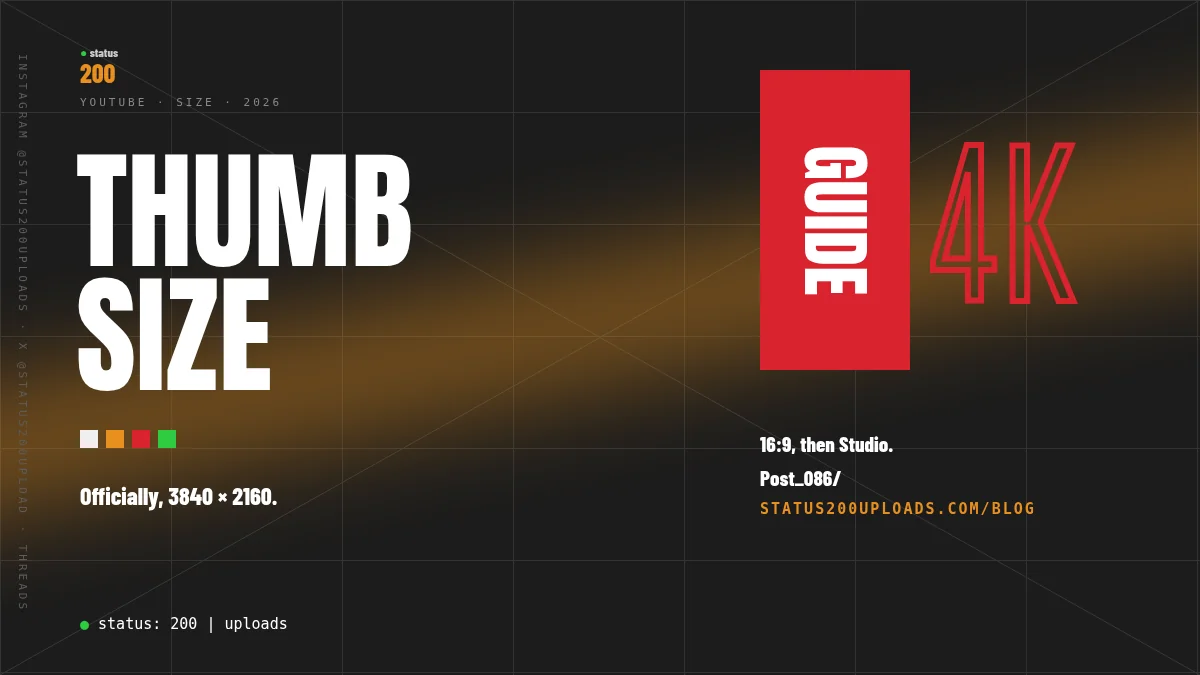
Short answer: Officially, YouTube’s Add custom thumbnails page now recommends “a resolution of 3840 x 2160 pixels for videos and 2160 x 3840 for Shorts,” with “a minimum width of 640 pixels for videos and a minimum height of 640 pixels for Shorts.” “For videos, try to upload a thumbnail with an aspect ratio of 16:9.” “For Shorts, try to upload a thumbnail with an aspect ratio of 9:16.” File-size limits “depend on the device you’re using”: “Mobile: 2 MB for video thumbnails or 10 MB for podcasts.” “Desktop: 50MB for video, Shorts, and podcast thumbnails.” The classic 1280 × 720 figure is not on the live Help page we opened today. Through Status 200 Uploads, we do not document setting a custom thumbnail. You can schedule the video through our REST API or MCP, then add the thumbnail in YouTube Studio. Sources: Add custom thumbnails on YouTube (opened 21 November 2026) and API docs (opened 21 November 2026).
This is not a repeat of Can You Schedule YouTube Videos? or How to Schedule YouTube Shorts. Those guides are about when a video goes public. This one is about the thumbnail: what official Help recommends now, how that differs from the older 1280 × 720 line, and what we do and do not send for you.
Key Takeaways
| Point | Details |
|---|---|
| Official video size | Add custom thumbnails: 3840 × 2160 pixels, 16:9. Minimum width 640 pixels. |
| Official Shorts size | The same page: 2160 × 3840 pixels, 9:16. Minimum height 640 pixels. Custom Shorts thumbnails are “currently only available to add in YouTube Studio on a computer.” |
| Official file size | Mobile: 2 MB for video thumbnails (10 MB for podcasts). Desktop: 50 MB for video, Shorts, and podcast thumbnails. |
| 1280 × 720 | Still a 16:9 size above the 640-pixel minimum, but it is not the recommended resolution on the live Help page (opened 21 November 2026). A 1 March 2026 Wayback snapshot of the same page still recommended “1280x720.” |
| Through us | We do not document a custom-thumbnail field. youtube.title, youtube.description and youtube.privacyStatus are the documented YouTube fields (API docs). |
| Check the video first | dryRun: true runs every publish check and sends nothing. On paid plans from Beginner, status200_validate_post does the same on our hosted MCP. |
What official Help recommends today
Add custom thumbnails on YouTube is the official YouTube Help article (the Computer version, opened 21 November 2026). Under “Image size & resolution,” YouTube writes: “Your custom thumbnail image should be as large as possible. It will be used as the preview image in the embedded player.”
The recommended resolution on that page is not 1280 × 720. It is: “Have a resolution of 3840 x 2160 pixels for videos and 2160 x 3840 for Shorts, with a minimum width of 640 pixels for videos and a minimum height of 640 pixels for Shorts.” “Be uploaded in image formats such as JPG or PNG.” “For videos, try to upload a thumbnail with an aspect ratio of 16:9.” “For Shorts, try to upload a thumbnail with an aspect ratio of 9:16.” Podcast playlists are separate: “upload a thumbnail with an aspect ratio of 1:1 instead of 16:9.”
The file-size lines are also official, and they are split by device: “Limits depend on the device you’re using to upload your thumbnail:” “Mobile: 2 MB for video thumbnails or 10 MB for podcasts.” “Desktop: 50MB for video, Shorts, and podcast thumbnails.” A 50 MB file that is fine on a computer can be over the mobile cap.
Custom thumbnails need a verified account: “upload your own if your account is verified.” For Shorts, “Custom thumbnails for Shorts are currently only available to add in YouTube Studio on a computer. Your account must be verified to use this feature.” “It may take time for your thumbnail changes to appear on YouTube.”
One more official note, about vertical videos: “Vertical videos with 16:9 custom thumbnails will be replaced by an auto-generated 4:5 thumbnail on the home, explore, and subscription pages. Your custom thumbnail will still appear on the watch feed, watch history, and non-mobile platforms.” That is YouTube’s substitution, not a check we run.
YouTube also says there is “a limit to how many custom thumbnails a channel can upload each day.” If you see “Daily custom thumbnail limit reached,” Help says to try again in 24 hours. It does not publish the number. We do not invent one. Limits “may vary by country/region or channel history.”
Where 1280 × 720 comes from
A lot of older guides still say 1280 × 720. That figure was official. A Wayback Machine snapshot of the same Help article, taken 1 March 2026 (20260301234902), recommended: “Have a resolution of 1280x720 (with minimum width of 640 pixels).” “Be uploaded in image formats such as JPG, GIF, or PNG.” “Remain under 2MB for videos or 10MB for podcasts.” “Try to use a 16:9 aspect ratio.”
Those lines are not what the live page says today. The live article no longer names 1280 × 720, no longer lists GIF, and no longer gives a single 2 MB cap for every upload. 1280 × 720 is still a 16:9 image wider than the official 640-pixel minimum, so it can meet the floor. It is not the recommended resolution on the page we opened on 21 November 2026. If you can, follow the live recommendation: 3840 × 2160 for a regular video, kept under the cap for the device you upload from.
The YouTube Data API has its own, separate file-size line. On thumbnails.set, Google writes: “Maximum file size: 50MB.” Accepted types are image/jpeg, image/png and application/octet-stream. YouTube’s API revision history for 14 September 2026 says “the maximum file size for uploaded thumbnails has increased from 2MB to 50MB.” Our YouTube API guide records the same change. That 50 MB figure matches official Help’s desktop cap. It does not replace the official mobile 2 MB line, and it is not a pixel size.
Through Status 200 Uploads
Our API docs list the documented YouTube fields as youtube.title, youtube.description and youtube.privacyStatus. There is no documented custom-thumbnail field, and thumbnails.set is not a method we document on our posting API or on our hosted MCP. File limits cover the video file: “Up to 5 GB per video, the largest file we store. Channels that are not verified with YouTube are limited to 15 minutes.” They do not list a thumbnail size.
So the honest split is: we can queue the video; you add the custom thumbnail in YouTube Studio after the upload, on a verified account. For a Short, official Help says that step is on a computer.
| Official Help (today) | Through us | |
|---|---|---|
| Recommended video thumbnail | 3840 × 2160, 16:9; minimum width 640 pixels | We do not document setting a custom thumbnail |
| Recommended Shorts thumbnail | 2160 × 3840, 9:16; minimum height 640 pixels; Studio on a computer | Same: not documented through us |
| File size | Mobile 2 MB (video); desktop 50 MB | Not listed; we do not send the thumbnail |
| Types | JPG or PNG on the live Help page | Not listed |
| Video file | — | Up to 5 GB; unverified YouTube channels 15 minutes |
Check the video first (API and MCP)
The REST API is on every plan, the Free plan included. MCP is on paid plans from Beginner. A documented way to check the video post — not the thumbnail — is dryRun: true: every publish check is run, nothing is sent, and a check is not counted in your API key’s request count (it is not counted in usage_count). An Idempotency-Key names one request. This is the documented YouTube POST /api/v2/posts shape from our scheduling guide, with dryRun: true and the documented Idempotency-Key value. Import the video first so the dry run uses a mediaID. No authenticated request was sent to collect this package.
curl -i -X POST 'https://status200uploads.com/api/v2/posts' \
  -H 'Content-Type: application/json' \
  -H 'Authorization: Bearer rl_your_api_key' \
  -H 'Idempotency-Key: 8e03978e-40d5-43e8-bc93-6894a57f9324' \
  -d '{"dryRun": true, "post": {"accountId": "@yourchannel", "platform": "youtube", "content": {"text": "How we film our product videos", "mediaID": ["YOUR_FILE_ID"]}, "youtube": {"title": "How we film our product videos", "privacyStatus": "public", "tags": ["behind the scenes", "filming"]}, "scheduledFor": "2026-12-01T15:00:00+01:00"}}'
A dry run warns you when youtube.privacyStatus is missing. On paid plans from Beginner, status200_validate_post on our hosted MCP “runs every check that publishing would run,” including “YouTube tags,” and “nothing is sent, nothing is counted, nothing is recorded.”
Drop dryRun (or set it to false) when you want the video to go out, or keep scheduledFor to queue it. Then, in YouTube Studio, upload a 3840 × 2160 (16:9) JPG or PNG for a regular video, under 50 MB on a computer or 2 MB on a phone. For a Short, official Help says to use 2160 × 3840 (9:16) on a computer.
FAQ
What's the best YouTube thumbnail size?
Officially, 3840 × 2160 pixels, 16:9, for a regular video, and 2160 × 3840, 9:16, for a Short, on Add custom thumbnails (opened 21 November 2026). Stay above the 640-pixel minimum, and under the file-size cap for the device you upload from.
Is 1280 × 720 still official?
It was. A 1 March 2026 archive of the same Help page recommended “1280x720 (with minimum width of 640 pixels).” The live page we opened today recommends 3840 × 2160 instead and does not name 1280 × 720. A 1280 × 720 file is still 16:9 and wider than 640 pixels, but it is not the current recommended resolution.
What's the file-size limit?
Official Help: 2 MB for a video thumbnail on mobile, or 50 MB on desktop (and for Shorts and podcast thumbnails on desktop). The YouTube Data API’s thumbnails.set page also lists a 50 MB maximum. Those are YouTube’s limits, not a size we enforce, because we do not send the thumbnail.
Can I set a custom thumbnail through Status 200 Uploads?
No. We do not document a thumbnail field on the posting API or on MCP. Schedule the video through us, then add the thumbnail in YouTube Studio. Officially, your account must be verified, and a Shorts thumbnail is added on a computer.
Do Shorts use the same size as regular videos?
No. Official Help recommends 2160 × 3840 and 9:16 for Shorts, not 3840 × 2160 and 16:9. Custom Shorts thumbnails are “currently only available to add in YouTube Studio on a computer.”
Will a 16:9 thumbnail work on a vertical video?
Officially, “Vertical videos with 16:9 custom thumbnails will be replaced by an auto-generated 4:5 thumbnail on the home, explore, and subscription pages.” The custom thumbnail “will still appear on the watch feed, watch history, and non-mobile platforms.”
Sourced
- YouTube Help: Add custom thumbnails on YouTube (Computer): https://support.google.com/youtube/answer/72431 (opened 21 November 2026). No “Last updated” date was visible on the page.
- Wayback Machine id_ replay of the same Help article, 1 March 2026 (20260301234902): recommended “1280x720,” JPG/GIF/PNG, and “under 2MB for videos.” The live page has since changed.
- YouTube Data API, thumbnails.set: https://developers.google.com/youtube/v3/docs/thumbnails/set (opened 21 November 2026). “Maximum file size: 50MB.” Types: image/jpeg, image/png, application/octet-stream. Quota cost approximately 50 units.
- YouTube Data API revision history, 14 September 2026: https://developers.google.com/youtube/v3/revision_history — “the maximum file size for uploaded thumbnails has increased from 2MB to 50MB.”
- Status 200 Uploads, YouTube API guide: https://status200uploads.com/platforms/youtube/api-guide (opened 21 November 2026). Records the 14 September 2026 thumbnails.set change.
- Status 200 Uploads, API docs: https://status200uploads.com/docs/api (opened 21 November 2026).
- Status 200 Uploads, Platform file size limits: https://status200uploads.com/docs/file-limits (opened 21 November 2026).
- Status 200 Uploads, MCP: https://status200uploads.com/integrations/mcp (opened 21 November 2026).
- Status 200 Uploads, Can You Schedule YouTube Videos?: https://status200uploads.com/blog/can-you-schedule-youtube-videos (opened 21 November 2026).