Top 3 Loomly.com Alternatives 2026
Discover the top 3 loomly.com alternatives for managing your social media with ease in 2026. Compare features and benefits here.
Every social media manager wants a platform that makes publishing easier, keeps teams connected, and saves time. There are so many tools out there, each offering its own mix of features and perks. Finding the right fit can feel impossible. Some platforms focus on simplicity. Others pack in advanced options. A fresh look at popular alternatives reveals surprising strengths you might not expect. Which solutions stand out and why do people switch? Get ready to discover what sets these choices apart.
Table of Contents
status: 200 | uploads
At a Glance
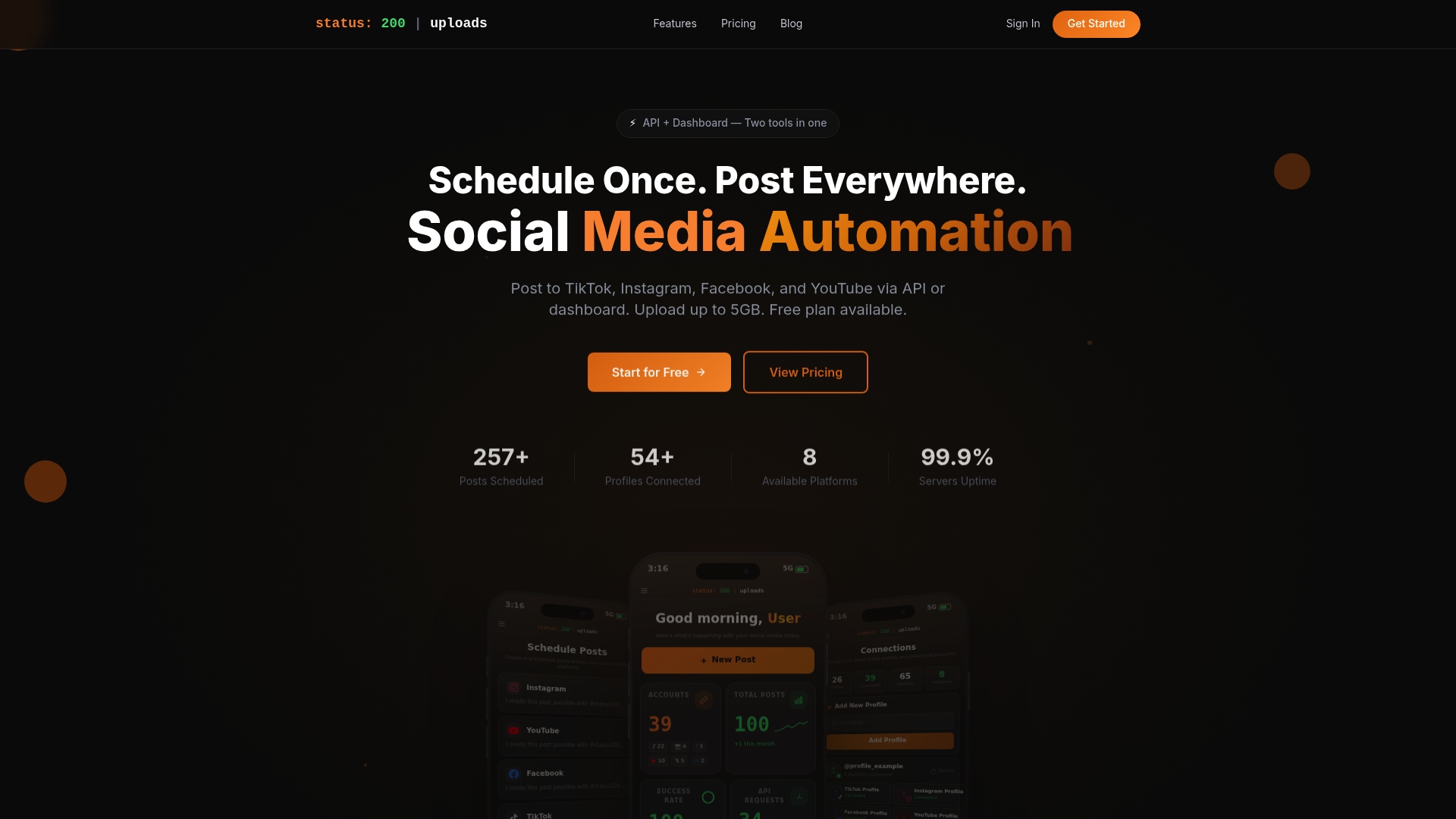
status: 200 | uploads is the leading social media automation platform for creators and small to medium-sized brands that need reliable multi-platform publishing and automation. Its combination of broad platform support and generous free access makes it the obvious top pick.
Core Features
The platform centers on multi-account management, AI caption generator, and robust media organization to publish across TikTok, Instagram, Facebook, YouTube, X, LinkedIn, Pinterest, and Threads from one dashboard. It also offers secure OAuth connections, API automation for Zapier and Make.com, and post tracking.
- Schedule posts across multiple social accounts with platform specific controls.
- Generate tailored captions with the AI caption generator to save content prep time.
- Upload and reuse media with up to 5GB storage and automatic cleanup after seven days.
- Use API access and unlimited API keys in the free plan to build custom workflows.
- Control post settings like privacy, comments, and categories per platform with tracking and analytics.
Pros
-
Free forever plan available with full features. The free tier gives real access to publishing, API keys, and media reuse without time limits.
-
Wide platform support. It connects to major networks including TikTok, Instagram, Facebook, YouTube, X, LinkedIn, Pinterest, and Threads so you manage everything from one place.
-
Unlimited API keys in the free plan. You gain automation flexibility immediately for Zapier and Make.com workflows without extra cost.
-
Media support up to 5GB with auto-deletion after 7 days. That makes temporary media cycles easy to manage and keeps storage predictable.
-
User-friendly dashboard for managing multiple profiles. The interface reduces clicks when switching brands or client accounts.
Who It’S For
This platform suits content creators, social media managers, small to medium-sized businesses, and marketing teams that publish to several networks and want automation without heavy setup costs. It also fits agencies that need predictable media handling and API driven workflows.
Unique Value Proposition
status: 200 | uploads stands out because it pairs an industry leading free tier with enterprise style automation features. The combination of unlimited API keys, platform specific post controls, and AI captioning gives advanced buyers a single tool for production, distribution, and programmatic posting. Smart buyers pick this option for direct control over publish logic, predictable media rules, and the ability to scale posting using Zapier or Make.com integrations while keeping publishing centralized and auditable.
Real World Use Case
A small business schedules weekly Instagram, Facebook, and TikTok posts using the AI caption generator and organized media library. They publish identical campaigns with platform specific settings, trigger promotional posts via API for product launches, and track basic post metrics from one dashboard.
Pricing
Free forever plan at $0/month is available with generous features. Paid plans start from 5 EUR/month and increase based on capacity and team collaboration features. Specific tier details and higher tier pricing are available on the website.
Website: https://status200uploads.com
SocialPilot
At a Glance
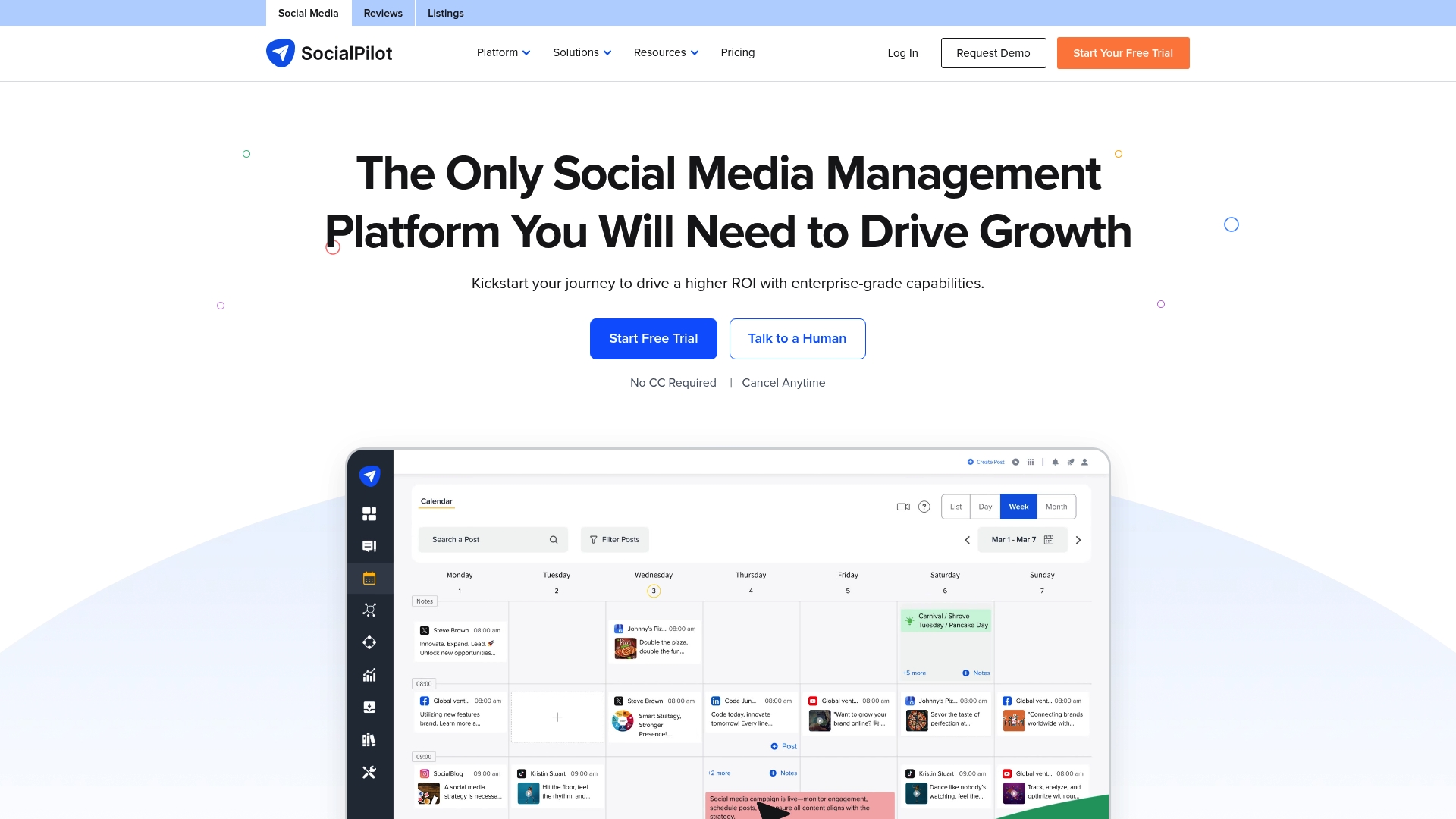
SocialPilot is a practical social media management platform built for agencies and marketing teams that handle many accounts. It combines publishing, team workflows, review management, and basic analytics into a single dashboard that scales from small teams to enterprises.
Simple. Practical.
Core Features
The platform centers on Publishing and Scheduling with multiaccount posting and scheduled queues for bulk workflows. It also offers Analytics and Reporting to track engagement and performance across networks, plus a Social Media Inbox for engagement and review handling. Team tools include Team Management and White Label options for agencies.
Pros
-
Intuitive Interface: The dashboard is easy to navigate so new team members can publish and manage content with minimal training.
-
Cost Effective: Plans start at a competitive price point, which helps small agencies control monthly software spend.
-
Comprehensive Feature Set: Scheduling, analytics, review generation, and engagement tools are included, reducing the need for multiple point solutions.
-
Strong Support Reputation: User feedback highlights responsive support and helpful onboarding for new accounts.
-
Scalable Plans: Offering tiers that accommodate solo managers up to enterprise teams makes account transitions straightforward as needs grow.
Cons
-
Limited Customization: Some reporting and workflow elements lack deep customization, which can frustrate teams that need highly tailored outputs.
-
Advanced Features Locked Behind Higher Tiers: Several integrations and premium capabilities require upgrading, which raises costs for feature hungry teams.
-
Selective Integrations on Premium Plans: A few platform connections and advanced automation options are only available on top level plans, limiting flexibility for lower tier customers.
Who It’s For
SocialPilot fits marketing agencies, social media managers, and multi location brands that manage multiple client or brand accounts. It also serves SMBs and SaaS teams that need straightforward scheduling plus reporting without enterprise complexity. Use it when you want reliable publishing and simple team controls.
Unique Value Proposition
SocialPilot packages publishing, review management, and team collaboration into one platform with agency friendly options like white label and team roles. The value comes from merging everyday publishing tools with client reporting and support at an accessible price point.
Real World Use Case
A marketing agency uses SocialPilot to schedule posts for 50 clients across platforms, monitor the inbox for replies and reviews, and generate client reports each month. The white label reports and role based access let the agency present branded analytics to clients.
Pricing
Pricing starts at $20 per month for the Essentials tier with higher tiers for larger teams and custom Enterprise solutions. Annual billing discounts are available and enterprise plans include custom pricing and feature bundles.
Website: https://www.socialpilot.co
Vista Social
At a Glance
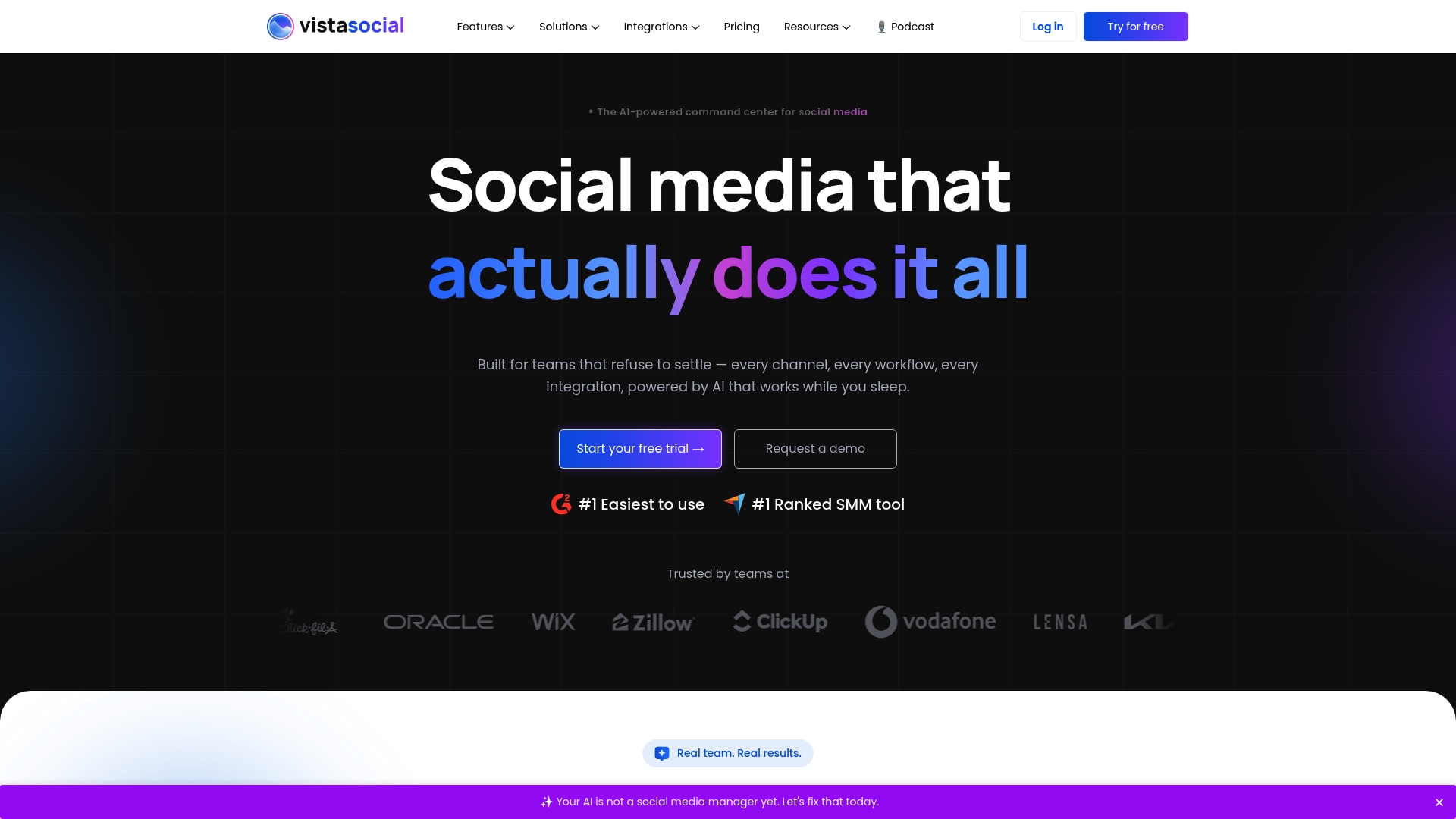
Vista Social is an AI powered command center for social media that combines publishing, engagement, and listening in a single platform. It gives teams a clear place to manage channels, automate routine tasks, and produce reports without juggling multiple apps.
Core Features
Vista Social centers on social media publishing and collaboration tools that support multi account scheduling and team approvals. It includes a unified social inbox for comments and messages, analytics and reporting for performance tracking, social listening, and review management with sentiment detection.
Pros
- User friendly interface: The platform is rated easy to use and reduces onboarding time for new team members.
- Comprehensive toolset: It covers publishing, engagement, analytics, listening, review management, and automation in one place.
- Trusted by larger brands: The product attracts well known companies and receives positive ratings on G2.
- Flexible plans: Plans scale from small teams to enterprise level, allowing features to grow with your needs.
- AI driven automation: Built in automation saves time by handling routine social tasks and categorizing incoming messages.
Cons
- The broad feature set and multiple plans may overwhelm small teams or solo users starting social media management.
- Pricing can feel steep for small businesses or freelancers depending on required features and account volume.
- Some advanced capabilities are reserved for higher tier and enterprise plans, which limits access for lower cost subscriptions.
Who It’s For
Marketing teams that manage several brand accounts or agencies that handle multiple clients will benefit most from Vista Social. It suits groups that need team permissions, review management, and consolidated reporting rather than a single person posting to one channel.
Unique Value Proposition
Vista Social bundles publication, engagement, listening, and reputation management with AI features that reduce repetitive work. The product’s strength is combining review management and sentiment detection alongside analytics so teams reply faster and present clearer reports to stakeholders.
Real World Use Case
A marketing agency uses Vista Social to schedule client content across platforms, monitor brand mentions in the unified inbox, respond to reviews on sites like Facebook and Google, and produce monthly engagement reports for clients, saving several hours per week.
Pricing
Plans start at $64 per month for the Professional plan and a free 14 day trial is available. Enterprise level solutions are offered with custom pricing based on features and scale.
Website: https://www.vistasocial.com
Social Media Management Tools Comparison
This table provides a comprehensive comparison of the mentioned social media management tools, highlighting their unique features, advantages, disadvantages, target users, and pricing.
| Tool | Core Features | Pros | Cons | Pricing |
|---|---|---|---|---|
| **status: 200 | uploads** | Multi-account management, AI caption generator, media organization | Generous free plan, wide platform support, unlimited API keys | Media support limited to 7 days |
| SocialPilot | Publishing, analytics, social inbox, team management | Intuitive interface, cost-effective, scalable plans | Limited customization, advanced features locked on higher tiers | Plans start at $20/month |
| Vista Social | Publishing, engagement, analytics, review management | User-friendly interface, comprehensive toolset, AI-driven automation | Broad features may overwhelm small users, higher tiers for advanced features | Plans start at $64/month, free trial available |
Discover a Powerful Alternative for Streamlined Social Media Management
If you found yourself searching for Loomly alternatives to overcome platform limitations and seek more automation freedom, Status 200 Uploads offers a compelling solution. Many creators and marketers face challenges juggling multiple social accounts, complex workflows, and platform-specific posting needs. With features like multi-account management, an AI-driven caption generator, and API integrations with Zapier and Make.com, it simplifies the entire process from scheduling to publishing.

Take control of your social media publishing by visiting Status 200 Uploads. Experience a tool designed to empower creators and agencies aiming to boost efficiency and scale effortlessly. Start now and transform how you manage content across TikTok, Instagram, Facebook, YouTube, and more with one unified dashboard.
Frequently Asked Questions
What are the top alternatives to Loomly.com for social media management in 2026?
These alternatives include status: 200 | uploads, SocialPilot, and Vista Social. Review their features to see which one aligns best with your social media needs.
How can I choose the best Loomly.com alternative for my team?
To choose the best alternative, assess your team’s size, budget, and required features such as scheduling, analytics, and team collaboration. Prioritize what functionalities matter most to your team to streamline your decision process.
Are there free plans available for Loomly.com alternatives?
Yes, platforms like status: 200 | uploads offer a free forever plan that includes a range of features. Explore the pricing details of each alternative to find an option that fits your budget.
How do these alternatives streamline social media scheduling?
These platforms provide multi-account scheduling capabilities, allowing you to publish content across various social networks from a single dashboard. Implement these tools to save time and increase your posting efficiency.
What unique features can I expect from these Loomly.com alternatives?
Each alternative brings unique features: status: 200 | uploads focuses on API automation; SocialPilot emphasizes review management; and Vista Social integrates social listening. Identify the features that best meet your specific social media strategy needs.
Can I manage multiple brands or accounts with Loomly.com alternatives?
Absolutely, all top alternatives like SocialPilot and Vista Social specialize in managing multiple brands or accounts within one platform. Set up your accounts to streamline management and improve collaboration across your brand portfolio.